


Every growth-stage ecommerce brand or SaaS business eventually hits the same wall.
Revenue is climbing. Orders are up. Sign-ups are accelerating. But so is the support queue — and it's climbing faster than your ability to hire agents to manage it. The math breaks down quickly: if every 1,000 new customers generates 150 new support conversations per month, scaling to 10,000 customers means 1,500 conversations a month. To 100,000 customers? You're looking at a full contact centre operation before you've even reached Series B.
The traditional answer — hire more agents — is economically unsustainable and operationally slow.
Hiring, onboarding, and training a support agent takes 6–12 weeks. By the time they're productive, your ticket volume has already surged again. And with the average cost of a fully-loaded support agent in the UK sitting at £35,000–£50,000 per year, the unit economics of human-only support simply don't scale.
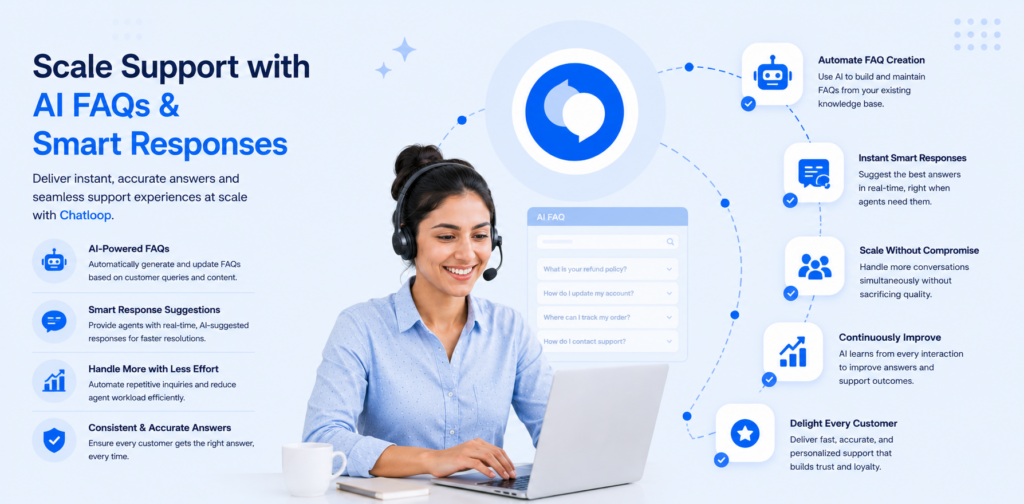
This is exactly why scaling support with AI FAQs and smart responses has become one of the highest-ROI investments a growing business can make. Not as a cost-cutting exercise — but as a genuine infrastructure upgrade that lets your support operation grow without linearly growing your team.
The Real Cost of Unmanaged Support Volume
Before building a solution, it helps to understand what uncontrolled volume actually costs:
- Agent burnout: Repetitive, low-complexity tickets — "Where's my order?", "How do I reset my password?", "Do you offer refunds?" — erode morale and increase turnover in support teams.
- Slower resolution for complex issues: When agents are buried in L1 repetitive queries, genuine problems (failed payments, product defects, integration issues) sit in queue longer.
- Missed revenue signals: High-intent conversations — "Do you offer an annual plan?", "Can I speak to someone about enterprise pricing?" — often die in a general inbox, unactioned.
- Inconsistent customer experience: Responses vary by agent, by shift, by how tired someone is at 4pm on a Friday.
AI FAQs and smart response infrastructure solve all four problems simultaneously.
What AI FAQs Actually Are (and Aren't)
Let's be precise, because this term gets used loosely.
A static FAQ page is a list of pre-written questions and answers hosted on your website. Customers navigate to it, search manually, and may or may not find what they need. It's passive, unintegrated, and requires customers to do the work.
An AI FAQ system is fundamentally different. It's:
- Conversationally embedded — appearing inside chat, messaging, or wherever the customer already is
- Intent-aware — understanding what the customer means, not just what they typed
- Contextually personalised — capable of pulling in order data, account details, or browsing context to give a relevant answer
- Self-improving — learning from low-rated responses and escalations to improve over time
The distinction matters enormously. A static FAQ might have a 15–20% self-service rate. A well-implemented AI FAQ system running inside a live chat widget with access to your product data can hit 60–70% deflection — meaning six or seven out of every ten support conversations are resolved without an agent ever getting involved.
Smart Responses vs. Scripted Responses
Similarly, smart responses are not just canned responses or macros. Those exist in every helpdesk and they're useful — but they're rigid, static, and require agents to trigger them manually.
Smart responses are AI-generated, context-aware reply suggestions that:
- Adapt to the tone and language of the customer
- Pull live data (order status, subscription tier, recent activity) to make the response accurate
- Suggest escalation paths when complexity warrants it
- Learn from which responses get positive outcomes vs. lead to further replies
This distinction — between static automation and intelligent, adaptive response infrastructure — is the crux of scaling support with AI FAQs and smart responses effectively.
The Smart Response Stack: How It Works
A modern AI support stack has four layers. Understanding each one helps you build, buy, and integrate the right components.
Layer 1: Signal Capture
Before AI can help, it needs to understand what's happening in a conversation. Signal capture involves detecting:
- Explicit intent keywords: "refund", "cancel", "broken", "where is my order", "upgrade plan"
- Sentiment signals: urgency markers ("ASAP", "still waiting", "not happy"), frustration indicators
- Contextual metadata: which page the customer is on, what product they purchased, how long they've been a customer, their account tier
The richer your signal capture, the more accurately the system can route, respond, and escalate. A customer asking "where is my order?" who ordered 48 hours ago and is a first-time buyer has a very different expected response than the same question from a recurring customer whose order is 10 days late.
Layer 2: Intent Classification
Once signals are captured, the AI classifies the conversation into intent buckets. Common categories include:
| Intent Category | Example Query | Recommended Action |
|---|---|---|
| Order tracking | "Where is my parcel?" | Auto-resolve with live tracking data |
| Returns/refunds | "I want to return this" | AI response + policy link + escalation option |
| Product question | "Does this work with X?" | AI FAQ response from knowledge base |
| Account/billing | "Change my card details" | Authenticated self-service flow |
| High-intent sales | "Tell me about your enterprise plan" | Immediate sales team routing |
| Complaint/escalation | "I've been waiting 2 weeks" | Priority agent routing |
The cleaner your classification, the better your routing decisions — and the higher your deflection rate for the resolvable ones.
Layer 3: Response Generation
For deflectable intents, the AI generates a response. This can come from several sources:
- A curated knowledge base: FAQs, product specs, policy documents you've uploaded and indexed
- Live data integration: Order management systems, CRM, subscription platforms (via API or webhook)
- LLM generation: For novel questions not covered by existing knowledge, a language model synthesises an accurate response from available context
The best implementations combine all three — a retrieval-augmented approach that grounds responses in accurate, up-to-date information rather than hallucinating answers.
Layer 4: Escalation and Handoff
No AI system should be a dead end. Clean escalation is what separates frustrating chatbot experiences from genuinely useful support automation.
Smart escalation means:
- Detecting when the AI's confidence is low and routing proactively rather than letting customers flounder
- Preserving the full conversation context so agents don't ask customers to repeat themselves
- Prioritising escalations by urgency and customer value
- Offering clear, frictionless "speak to a human" pathways at any point
The goal of AI isn't to eliminate human agents — it's to ensure human agents are spending their time on conversations where they add the most value.
Step-by-Step: Building a Scalable AI Support Workflow
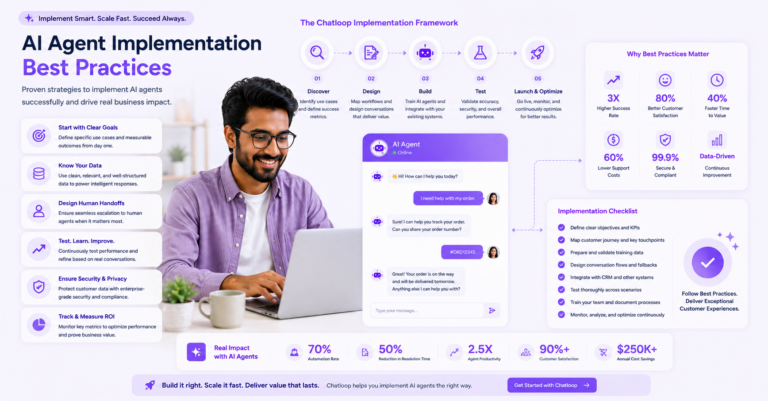
Here's a practical implementation framework for scaling support with AI FAQs and smart responses, broken into five executable phases.
Phase 1: Audit Your Ticket Volume and Categorise Intents
Before deploying anything, spend two weeks tagging every incoming support conversation into intent categories. Most teams discover that 60–75% of their volume falls into 8–12 repeating buckets.
What to do:
- Export 30–90 days of support tickets from your helpdesk (Zendesk, Freshdesk, Intercom, etc.)
- Tag each conversation with an intent category
- Calculate volume and resolution time per category
- Identify which categories are high-volume AND low-complexity — these are your deflection candidates
Output: A prioritised list of intents to automate first, with volume data to project ROI.
Phase 2: Build and Index Your Knowledge Base
AI FAQs are only as good as the knowledge they draw from. Build a clean, structured knowledge base before worrying about the AI layer on top.
What to include:
- All existing FAQ content (but rewritten for conversational retrieval, not just reading)
- Return, refund, and shipping policies — with exact timelines and conditions
- Product documentation and specifications
- Pricing and plan details (kept current)
- Common troubleshooting steps
Formatting tips for AI retrieval:
- Use clear question-and-answer format within documents
- Keep individual chunks under 300 words — AI retrieval works better on focused, specific content
- Include synonyms and alternative phrasings ("cancel subscription" / "stop my plan" / "don't want to renew")
- Date-stamp everything and set a review cadence (quarterly minimum)
Phase 3: Configure Intent Routing Rules
With your knowledge base indexed, configure routing logic:
- Auto-resolve: High-confidence matches on high-volume, low-risk intents (order tracking, password reset, policy questions) → AI responds, marks as resolved if customer doesn't follow up
- AI-assisted: Medium complexity (product compatibility, billing changes) → AI drafts response for agent review before sending
- Escalate immediately: Low-confidence, high-sentiment, VIP customers, complaint patterns → route to human queue with full context and priority flag
Phase 4: Instrument and Measure
Deflection rates mean nothing if the deflected conversations are just coming back as complaints. Measure quality, not just volume.
Core metrics to track from day one:
- Deflection rate: Conversations resolved without agent intervention ÷ total conversations
- Containment rate: Users who start in self-service and never request a human (distinct from deflection)
- CSAT on AI-resolved conversations: Are customers actually satisfied with automated resolutions?
- Re-contact rate: What % of "resolved" conversations result in a follow-up within 72 hours?
- Escalation accuracy: Are the right conversations getting to human agents, and are agents getting useful context?
Phase 5: Iterate and Expand
Start narrow. Pick your top three deflection candidates, implement well, measure for four weeks, then expand. Trying to automate everything at once creates fragile systems and bad customer experiences.
The roadmap typically looks like:
- Month 1: Order tracking, password reset, returns policy
- Month 2: Product questions, plan/billing queries
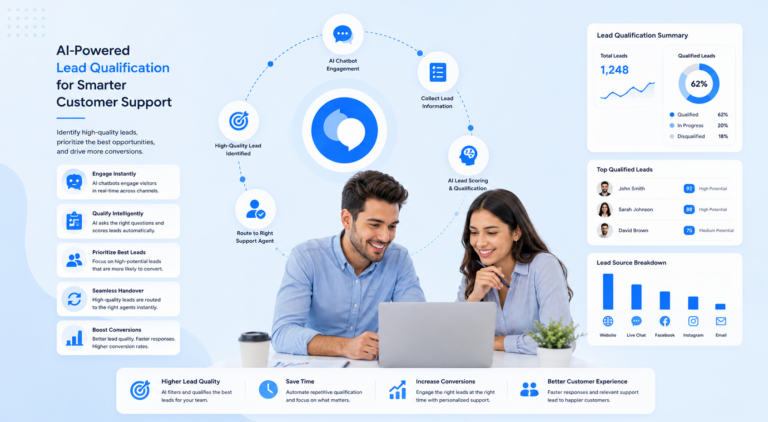
- Month 3: Proactive messaging (post-purchase, onboarding), lead qualification routing
- Month 4+: Personalised recommendations, upsell triggers, cross-channel expansion
Real Performance Metrics to Track
Here are the benchmarks that mature AI support operations use to evaluate performance. These are ranges based on real-world deployments — your numbers will depend on industry, average query complexity, and implementation quality.
| Metric | Early Stage (0–3 months) | Mature (6–12 months) |
|---|---|---|
| Deflection rate | 25–40% | 50–70% |
| Average first response time | < 30 seconds | < 5 seconds |
| CSAT (AI-resolved) | 3.5–4.0 / 5 | 4.0–4.5 / 5 |
| Re-contact rate | 20–30% | 10–15% |
| Cost per resolved conversation | 30–50% reduction | 60–75% reduction |
The Metric That Actually Matters for Growth Teams
Beyond operational efficiency, the most important number for growth-focused teams is conversation-to-revenue rate: the percentage of support conversations that result in a conversion, upsell, or retention event.
AI FAQs and smart responses improve this number in two ways:
-
Speed: High-intent conversations ("can I upgrade?", "do you do custom plans?") are identified and routed to sales-ready agents or automated conversion flows in seconds rather than hours.
-
Signal surfacing: Patterns in your support data — the questions customers ask before churning, the features they request before upgrading — become visible and actionable when AI is classifying everything.
Common Mistakes That Kill Deflection Rates
A cautionary section, because most teams encounter these and it's better to avoid them than learn them the hard way.
1. Building the Knowledge Base Last
Many teams deploy the chatbot first and try to populate the knowledge base as conversations come in. This creates a poor early experience that erodes customer trust in the channel. Build the knowledge base first, launch second.
2. Optimising for Deflection Rate at the Expense of CSAT
A deflection rate of 80% means nothing if half of those deflected customers are dissatisfied with the resolution and either re-contact, churn, or leave a negative review. Measure both deflection and quality from the start.
3. No Clear Escalation Path
"I'm sorry, I can't help with that" with no route to a human is the fastest way to destroy customer trust. Every AI response should include a clear, visible escalation option. The threshold for offering it should be low.
4. Treating AI as a One-Time Setup
The knowledge base goes stale. Policies change. New products ship. An AI support system that isn't actively maintained degrades over time. Assign clear ownership of the knowledge base update process before you launch.
5. Ignoring Channel Context
The same AI FAQ system deployed on a website widget, in a WhatsApp thread, and inside a Shopify post-purchase flow needs to be configured differently. Tone, length, and response format should match the channel. A three-paragraph response is appropriate in email; in WhatsApp, it's a UX failure.
How Chatloop Powers This at Scale
Chatloop is built specifically to make scaling support with AI FAQs and smart responses practical for ecommerce brands and digital businesses — without requiring an enterprise contract or a months-long implementation.
Here's how the core components map to the stack above:
Signal Capture Across Every Channel
Chatloop ingests conversations from web chat, WhatsApp, Instagram DM, Facebook Messenger, Telegram, SMS, and email into a unified inbox. Signal capture — intent keywords, sentiment markers, customer metadata — runs on every message regardless of where it originated.
This matters because your customers don't care which channel they're on. Your AI shouldn't either.
Intent Classification with Live Data Integration
The Chatloop intent engine connects to your Shopify store, WooCommerce site, or custom backend via webhooks and API, pulling live order status, customer history, and product data directly into response generation. When a customer asks "where's my order?", the AI doesn't just recite your shipping policy — it retrieves and states their actual current tracking status.
Curated Knowledge Base with Semantic Search
Upload your FAQs, policies, product documentation, and support articles. Chatloop indexes them semantically — meaning it understands intent and meaning, not just keyword matching. Customers asking "can I get my money back?" will match content about your returns policy even if the document never uses those exact words.
Intelligent Routing and Clean Escalation
Based on intent classification and confidence scores, Chatloop routes conversations to:
- Auto-resolve: Full AI response, no agent required
- Agent assist: AI drafts a suggested reply for agent review
- Priority human queue: Immediate routing with full context and urgency flags
Campaigns and Proactive Messaging
Beyond reactive support, Chatloop's Campaigns module lets you flip the script — reaching customers proactively at the right moment with the right message via any channel. Post-purchase check-ins, reorder nudges, renewal reminders, and win-back sequences all run from the same platform.
This is the shift from support-as-a-cost-centre to support-as-a-revenue-driver.
Frequently Asked Questions
Q: How long does it take to see results from AI FAQs?
Most businesses see measurable deflection improvements within the first 2–4 weeks after a properly populated knowledge base goes live. Full optimisation — where the system has enough conversation data to tune classification and improve response quality — typically takes 60–90 days.
Q: Will AI support make my customers feel like they're talking to a robot?
Only if it's implemented poorly. Modern conversational AI — especially when connected to live customer data and a well-structured knowledge base — resolves queries accurately and quickly. Most customers care more about speed and accuracy than whether a human or AI responded. That said, transparency matters: always make it clear an AI is involved, and always offer a clear path to a human.
Q: What's the difference between a chatbot and an AI support system?
A chatbot follows a scripted decision tree. It breaks when the customer says something unexpected. An AI support system understands intent, draws from a knowledge base, integrates with live data, and generates contextual responses. The customer experience is fundamentally different.
Q: Do I need technical resources to implement this?
With modern platforms like Chatloop, no. The knowledge base upload, intent configuration, and channel integrations are managed through a dashboard interface. Deep API integrations (for live order data, CRM sync) require some technical setup, but the core functionality is accessible to non-developers.
Q: How does this affect my support agents' jobs?
The intent is not replacement — it's augmentation. Agents handling fewer L1 repetitive queries spend more time on complex, nuanced conversations where empathy, judgement, and expertise actually matter. Most support teams report higher job satisfaction after AI deflection is implemented, not lower.
Conclusion
Scaling support with AI FAQs and smart responses is not a future capability — it's a current competitive advantage that separates businesses that grow sustainably from those that face a support crisis every time they have a successful quarter.
The framework is clear: audit your volume, categorise your intents, build a quality knowledge base, configure intelligent routing, measure quality alongside deflection, and iterate continuously. Done well, the result is a support operation that handles more conversations with better outcomes, faster resolution times, and significantly lower cost per resolution — while freeing your human agents to do the work only humans can do.
Chatloop brings all of this together in a single platform built for ecommerce and digital businesses — with multi-channel inbox, AI knowledge base, intent routing, and proactive campaigns under one roof.
Ready to start? Book a demo with Chatloop or explore how Chatloop scales customer support with AI agents to see how these components work together in practice.


5 Responses on this post
Comments are closed.