


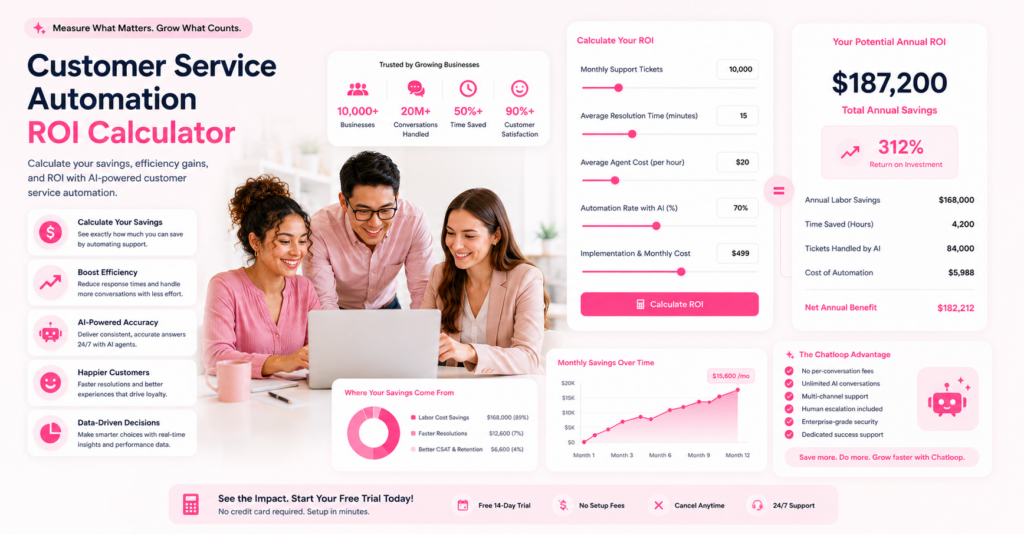
Understanding the return on investment (ROI) for customer service automation is critical for making the right decision. This comprehensive guide walks you through calculating ROI for your specific business situation, including formulas, templates, and real-world examples.
What You'll Learn
- How to calculate current support costs
- ROI calculation formulas
- Break-even analysis
- Payback period calculations
- Real-world case studies
- Decision frameworks
Step 1: Calculate Your Current Support Costs
Calculate Total Annual Support Costs
The first step is understanding your baseline expenses.
Formula:

Cost Components to Include
1. Personnel Costs (Largest expense)
- Support agent salaries
- Supervisor/manager salaries
- Benefits (health, retirement, etc.)
- Training and development
- Bonuses and incentives
2. Software & Tools
- Ticketing system (Zendesk, Jira, etc.)
- CRM platform
- Knowledge base software
- Communication tools
- AI/chatbot platform
3. Infrastructure
- Servers and hosting
- Data storage
- Backup systems
- Security tools
- Network bandwidth
4. Overhead
- Office space allocation
- Equipment and hardware
- Utilities
- Facilities management
- Administrative support
Example Calculation: Small Business
Scenario: 3-person support team
| Cost Category | Amount |
|---|---|
| Salaries (3 × $40k) | $120,000 |
| Benefits (30% of salary) | $36,000 |
| Software & Tools | $5,000 |
| Infrastructure | $3,000 |
| Overhead allocation | $6,000 |
| Total Annual Cost | $170,000 |
Cost per support agent: $56,667/year Cost per day: $466/day for team Cost per hour: $58/hour for team
Step 2: Determine Current Support Volume
Calculate Your Support Metrics
Key questions to answer:
- How many support tickets do you handle monthly?
- What's the average handling time per ticket?
- How are tickets distributed across channels?
- What percentage require escalation?
Calculate Cost Per Ticket
Formula:

Example:
- Annual support cost: $170,000
- Annual tickets: 12,000 (1,000/month)
- Cost per ticket: $14.17
Calculate Cost Per Interaction Hour
Formula:

(Assumes 2,080 work hours/year - 40 hours for vacation, sick leave, admin)
Step 3: Estimate Automation Impact
Ticket Types and Automation Potential
| Ticket Type | % of Total | Automatable? | Automation Rate |
|---|---|---|---|
| FAQ questions | 35% | Yes | 90% |
| Billing inquiries | 20% | Yes | 85% |
| Password resets | 15% | Yes | 95% |
| Status updates | 15% | Partial | 70% |
| Technical issues | 10% | No | 0% |
| Complaints | 5% | No | 0% |
| Total | 100% | 60% |
Realistic Automation Assumptions
Most companies can automate:
- 70% of first-contact tickets
- 60% overall (including partial automation)
- 10-15% of high-complexity tickets
These figures track closely with 2026 industry automation benchmarks, where the median SMB automation rate sits around 52% and top-quartile deployments reach 67%.
Calculate Tickets Automated Monthly
Formula:

Example:
- Total monthly tickets: 1,000
- Automation rate: 60%
- Tickets automated: 600/month
Step 4: Calculate Cost Savings
Savings from Ticket Reduction
Formula:

Example:
- Tickets automated: 600/month
- Cost per ticket: $14.17
- Monthly savings: $8,502
- Annual savings: $102,024
Additional Savings to Consider
1. Response Time Improvement
- Faster resolution = happier customers = higher retention
- Estimated value: 5-10% reduction in churn
2. Employee Productivity
- Freed-up time for complex issues
- Estimated productivity gain: 30-40% per agent
3. Reduced Overtime
- Less need for off-hours coverage
- Estimated savings: 10-15% on labor
4. Improved Customer Satisfaction
- Higher CSAT = fewer escalations
- Estimated impact: 3-5% cost reduction
Total Savings Calculation
Formula:

Example breakdown:
- Direct ticket automation savings: $102,024
- Response time improvement (5%): $8,500
- Productivity gains (10% of salary): $12,000
- Reduced overtime (12%): $4,080
- Total annual savings: $126,604
Step 5: Calculate ROI and Payback Period
Implementation Costs
| Cost Item | Amount |
|---|---|
| Software/platform setup | $2,000 |
| Knowledge base creation | $1,500 |
| Integration and testing | $1,000 |
| Staff training | $500 |
| First Year Total | $5,000 |
ROI Calculation
Formula:

Example:

Break-Even Analysis
Formula:

Example:

Payback Period
Formula:

Timeline:
- Month 0: Pay implementation costs ($5,000)
- Month 1: Save $10,550 (net gain: $5,550)
- Month 2+: Full monthly savings realized
Real-World Case Studies
Case Study 1: E-Commerce Company
Profile: 250,000 monthly customers, 2,000 tickets/month
Costs:
- Support team: 8 agents
- Annual cost: $480,000
- Cost per ticket: $20
With AI Automation (65% automation):
- Tickets automated: 1,300/month
- Monthly savings: $26,000
- Annual savings: $312,000
- Implementation cost: $8,000
- ROI: 3,800%
- Payback: 9 days
Case Study 2: SaaS Company
Profile: 500 customers, 3,000 tickets/month
Costs:
- Support team: 12 agents
- Annual cost: $720,000
- Cost per ticket: $20
With AI Automation (70% automation):
- Tickets automated: 2,100/month
- Monthly savings: $42,000
- Annual savings: $504,000
- Implementation cost: $15,000
- ROI: 3,260%
- Payback: 11 days
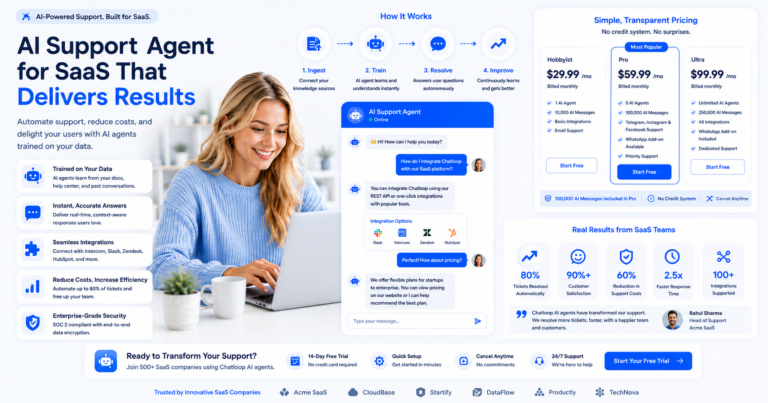
For the full playbook behind numbers like these, see our guide on AI support agents for SaaS companies.
Case Study 3: Enterprise Company
Profile: 10,000 customers, 5,000 tickets/month
Costs:
- Support team: 25 agents
- Annual cost: $1,500,000
- Cost per ticket: $30
With AI Automation (60% automation):
- Tickets automated: 3,000/month
- Monthly savings: $90,000
- Annual savings: $1,080,000
- Implementation cost: $50,000
- ROI: 2,060%
- Payback: 20 days
Advanced ROI Scenarios
Conservative Scenario (40% Automation)
| Metric | Value |
|---|---|
| Automation rate | 40% |
| Monthly savings | $6,800 |
| Annual savings | $81,600 |
| Payback period | 22 days |
| Year 1 net savings | $76,600 |
Moderate Scenario (60% Automation)
| Metric | Value |
|---|---|
| Automation rate | 60% |
| Monthly savings | $10,201 |
| Annual savings | $122,412 |
| Payback period | 15 days |
| Year 1 net savings | $117,412 |
Aggressive Scenario (75% Automation)
| Metric | Value |
|---|---|
| Automation rate | 75% |
| Monthly savings | $12,751 |
| Annual savings | $153,012 |
| Payback period | 12 days |
| Year 1 net savings | $148,012 |
ROI Download: Customizable Spreadsheet
Use our ROI calculator spreadsheet to model your specific scenario:
Download ROI Calculator Template
Included in template:
- Automated calculations
- Multiple scenario modeling
- Sensitivity analysis
- Visual ROI charts
- Comparison with industry benchmarks
Key Metrics to Track Post-Implementation
Monthly Dashboard
Track these metrics to validate your ROI projections:
| Metric | Target | How to Calculate |
|---|---|---|
| Automation rate | 60%+ | (Automated tickets / Total tickets) × 100 |
| Cost per ticket | -50% | Annual support cost / Total tickets |
| Resolution time | -70% | Average time to close tickets |
| Customer satisfaction | +20% | CSAT survey scores |
| First contact resolution | +30% | (Resolved without escalation / Total) × 100 |
| Agent productivity | +40% | Tickets per agent per hour |
FAQ & Troubleshooting
Q: What if our automation rate is lower than expected?
A: This is common initially. Focus on improving knowledge base quality and monitoring conversation data to identify what the AI can't handle. Most companies improve their automation rate by 20-30% in year 2.
Q: How long does it take to see ROI?
A: Most companies see positive ROI within 2-4 weeks. Full payback period averages 1-2 months.
Q: What about technology costs?
A: Platform costs ($200-2000/month) are typically recovered within the first few weeks through ticket automation savings.
Q: Can ROI vary by industry?
A: Yes. SaaS and e-commerce typically see 50-70% automation rates. Professional services see lower rates (20-30%) but still achieve strong ROI.
Next Steps
- Calculate your current support costs using Step 1
- Download our ROI calculator spreadsheet
- Model different automation scenarios
- Prepare a business case for stakeholders
- Request a demo to validate assumptions
- Pilot with a specific support channel
- Measure results and scale
Conclusion
The ROI case for customer service automation is compelling: most businesses achieve payback within 2-4 weeks and can expect 200-400% annual ROI. By following this guide and using actual numbers from your business, you can make an informed decision about automation investment.



Comments are closed.