


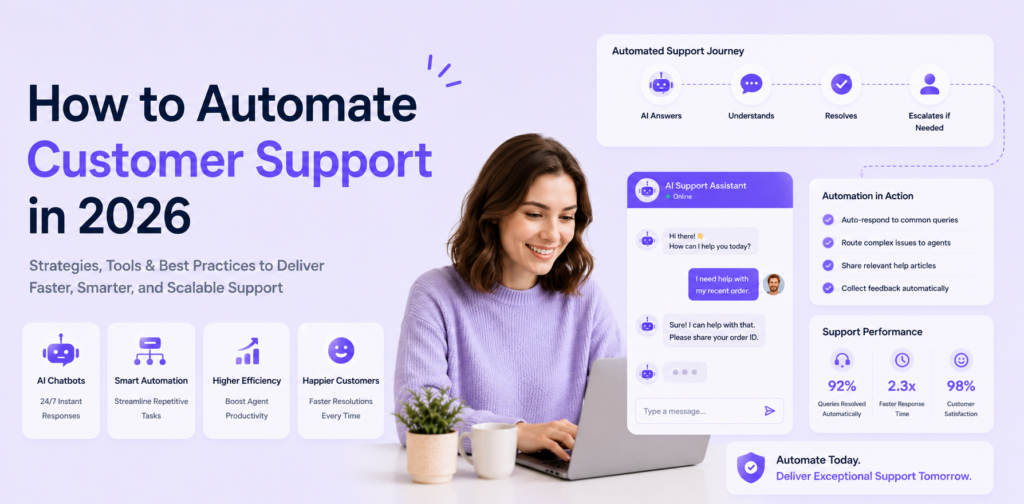
Most businesses know they should automate their customer support. Fewer have a clear step-by-step process for doing it without disrupting the quality of service their customers expect. This guide fills that gap — from auditing your current support operation through to measuring results and iterating after go-live.
Before You Start: The Automation Audit
The single most important preparation step is understanding exactly what your customers ask. Businesses that skip this and build a generic knowledge base consistently underperform.
Pull your last 90 days of support data. From email, helpdesk, WhatsApp, or CRM — collect every customer query from the past three months. Categorise them by query type.
Identify your top 20 query types. Sort by frequency. These top 20 categories almost always account for 75-80% of total volume. If you can handle these 20 categories reliably, you will hit 60%+ automation from the start.
Flag queries unsuitable for automation. Complex complaints, sensitive situations, regulated advice, and anything requiring human judgment should map to escalation paths, not automation. See AI agent vs human support for the full decision framework.
Step 1: Choose Your Platform
Your automation platform is the AI agent that handles queries, manages your knowledge base, provides analytics, and routes escalations. Key criteria in 2026:
No-code configuration — you must update responses, add knowledge, and adjust flows without a developer. Platforms requiring engineering involvement for routine updates create bottlenecks that limit automation rate improvement over time.
Integration depth — the platform must connect to your CRM, e-commerce system, calendar, and helpdesk. An AI agent without live order data, availability, or customer history has a lower automation ceiling.
Multi-channel deployment — website chat and WhatsApp from the same configuration. Separate systems per channel multiplies maintenance complexity.
Analytics and conversation logs — you need visibility into what the AI could not answer, answered incorrectly, and where customers escalated. Without this data, improvement is guesswork.
Chatloop.io meets all four criteria. See the features overview and plans. For comparisons: chatloop vs Intercom and chatloop vs Tidio.
Step 2: Build Your Knowledge Base
Structure each entry correctly. Every entry needs: a clearly phrased question header in customer language, a direct 2-4 sentence answer, supporting detail for follow-ups, and a reference or next action.
Prioritise your top 20 queries. Cover these first with the most accurate and complete entries. Secondary categories can be added post-launch based on real conversation data.
Add explicit Q&A pairs. Beyond document-format content, direct question-and-answer pairs for your top 20 queries produce the most consistent AI responses. These are retrieval-priority entries and should be your first knowledge base additions.
For the complete guide: how to train an AI chatbot with company data.
Step 3: Configure Your AI Agent
Set your greeting and identity. Configure how the AI introduces itself, what it offers, and how it identifies as AI. Keep it brief — customers want help, not a preamble.
Configure your top-priority conversation flows. Beyond FAQ responses, build flows for your highest-value multi-step interactions: booking requests, returns initiation, lead qualification. Each flow has a trigger, conditional steps, actions, and a completion or escalation outcome. See AI chatbot workflow automation.
Set escalation triggers. At minimum configure triggers for: complaint, refund, cancel, urgent, and any regulatory or sensitive keywords relevant to your industry. Test each trigger before going live. Escalation quality is as important as automation quality — see AI agent vs human support for escalation configuration.
Configure availability and after-hours handling. Your AI should be set to 24/7 operation. Configure after-hours messages that acknowledge the time and set accurate human response timelines for queries the AI cannot resolve independently.
Step 4: Connect Your Integrations
An AI agent without live data access has a hard automation ceiling. The most impactful integrations for customer support automation are:
Order management / e-commerce. Enables real-time order status, tracking, and returns processing. For Shopify and WooCommerce stores, this is the single highest-value integration — it converts the most common post-purchase query category from AI-escalated to AI-resolved.
CRM. Enables the AI to recognise returning customers, access their history, and route based on customer tier. High-value customers can be flagged for immediate human routing regardless of query type.
Calendar / booking system. Enables real-time appointment availability and booking creation — the full booking flow without human involvement.
Helpdesk. If you use a dedicated helpdesk (Zendesk, Freshdesk), connecting your AI ensures that escalated conversations create properly formatted tickets with full conversation context, not just a blank "transferred from chat" placeholder.
See chatloop.io integrations for the current integration library and setup guides.
Step 5: Deploy on Your Channels
Website chat. Install the chatloop.io widget snippet in your website's header — one line of code, no developer needed. For WordPress sites, the widget can be added through the chatloop.io WordPress integration.
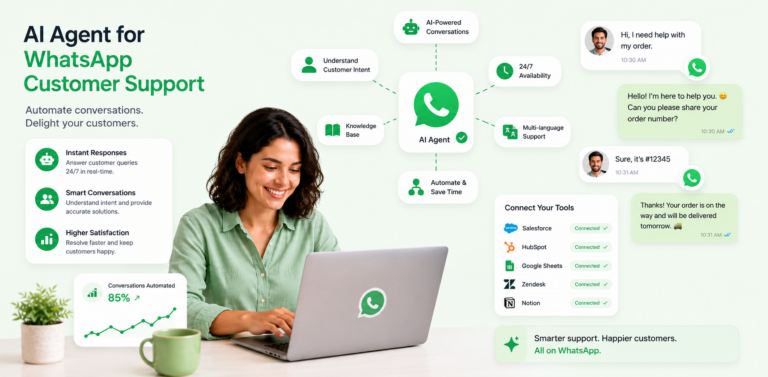
WhatsApp. Connect your WhatsApp Business API number through the chatloop.io dashboard. For the complete WhatsApp setup guide, see how to integrate an AI agent with WhatsApp.
Email-to-chat routing. Configure your support email address to route to chatloop.io, so email queries are processed by the AI alongside chat queries. This captures the email query volume that would otherwise bypass your AI entirely.
Deploy on website chat first and validate performance before adding WhatsApp. Having one channel working well before expanding is consistently better than two channels running at lower quality.
Step 6: Run Your Pre-Launch Test Protocol
Before going live with real customers, run a structured test.
Query test set. Write out your top 30 customer queries in realistic phrasing — including variations ("what's your return policy?" / "can I return something?" / "returns please"). Run each through the AI and score each response for accuracy, completeness, and tone.
Escalation test. Test each escalation trigger keyword explicitly. Confirm the conversation routes to a human and that the human receives the full conversation context.
Integration test. For each connected system, run a test query that requires live data lookup. Confirm the data returned is accurate and current.
Edge case test. Ask questions you know are not in the knowledge base. Verify the AI acknowledges it cannot answer and provides a clear escalation path rather than guessing.
Only go live after passing all four test categories. The investment in pre-launch testing consistently produces better first-week satisfaction scores and fewer emergency fixes.
Step 7: Monitor and Optimise Weekly
The most important phase of customer support automation happens after go-live. The businesses achieving the highest automation rates are those with the most disciplined weekly review process.
Review failed conversations every week. The queries the AI could not answer are your highest-priority knowledge base additions. Add content for the top five unanswered categories each week in the first 60 days.
Track your four core metrics. Automation rate, CSAT for AI-handled conversations, escalation rate, and knowledge gap rate. These four metrics tell you everything you need to know about whether your automation is working and where to focus improvement effort. See AI chatbot analytics and optimisation for the complete measurement framework.
Run a monthly audit. Review every knowledge base entry for accuracy at least monthly. Products change, policies change, and an AI giving outdated information is worse than an AI that honestly says it does not know.
Automation Milestones: What to Expect
| Milestone | Typical timeline | Key driver |
|---|---|---|
| 40% automation rate | Day 7-14 | Initial knowledge base quality |
| 55% automation rate | Day 30-45 | First round of failed-conversation additions |
| 65% automation rate | Day 60-90 | Integration live + KB expanded to 60+ entries |
| 70%+ automation rate | Day 90-180 | Knowledge base matured, edge cases covered |
Businesses that miss these milestones are almost always behind on knowledge base expansion. The technology performs — the differentiator is the knowledge base investment.
FAQ
How long does it take to automate customer support from scratch? Basic deployment handling 40-50% of queries can be live in two to five days. Reaching 65%+ automation takes 60-90 days of knowledge base refinement and integration expansion.
Does customer support automation require a developer? Not with chatloop.io. The entire implementation — knowledge base build, workflow configuration, integrations, and widget installation — is completed through the no-code dashboard. See how to set up an AI agent without coding.
How do I know which queries to automate first? Start with your highest-frequency, most rule-based query types. The audit in Step 0 of this guide produces your prioritised list. If you have not done the audit yet, that is Step 0 — everything else depends on it.
What is the most common reason automation deployments underperform? Insufficient knowledge base depth at launch. A chatbot with 15-20 entries will automate 20-30% of queries. One with 60+ well-structured entries will automate 60-70%. The technology is not the variable — the knowledge base is.
Can I automate support for a business with a small team? Yes. Chatloop.io is specifically designed for small teams without dedicated support operations. The no-code interface means a business owner or office manager can build, deploy, and maintain the AI without technical staff. See why no-code AI agents are the future of small business.
Ready to automate your customer support? Start your free chatloop.io trial and follow this guide to go live within a week.


Comments are closed.