


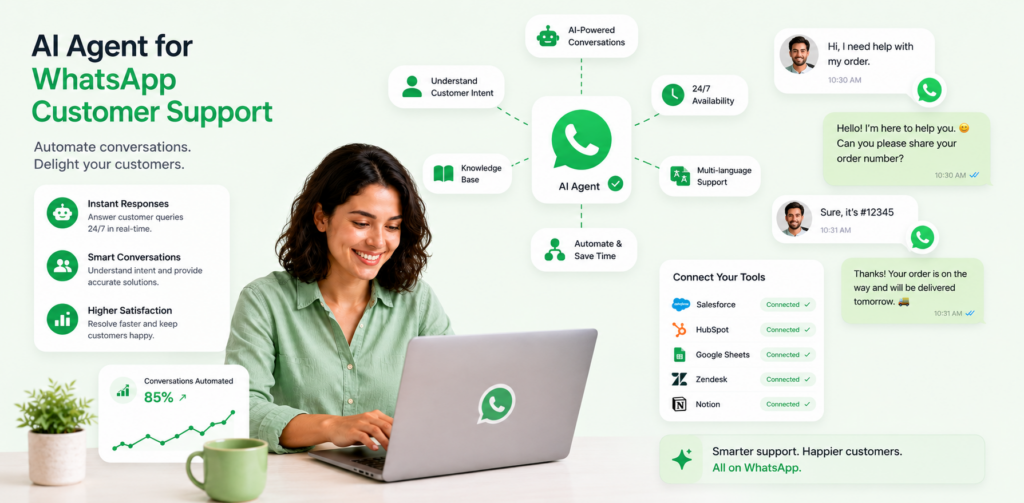
WhatsApp has over 2 billion active users globally, and businesses are only beginning to tap its potential as a support channel. Most companies deploy a basic bot that answers FAQs and nothing more. That's a missed opportunity. Advanced AI agents for WhatsApp customer support can handle complex triage, proactive outreach, multilingual conversations, and seamless human handoffs — all inside the messaging app your customers already use every day.
This guide walks through seven advanced use cases, real implementation patterns, and the metrics you should track to measure success. Whether your support team handles hundreds or hundreds of thousands of conversations a month, these use cases will help you extract maximum value from WhatsApp as a support channel.
Why WhatsApp Is Becoming the Default Support Channel
Email response rates are declining. Phone wait times frustrate customers. Live chat requires customers to stay on your website. WhatsApp, by contrast, is where people already spend their time. Messages are read within minutes, conversations persist across sessions, and the channel supports rich media — images, PDFs, voice notes, videos — that make complex support interactions easier to resolve.
Businesses using WhatsApp Business API report response rates three to five times higher than email. Customer satisfaction scores on WhatsApp consistently outperform traditional channels because the interaction feels personal and frictionless. But capturing that potential requires more than a simple FAQ bot. It demands AI agents with genuine reasoning capability, integration into your backend systems, and well-designed escalation logic.
Use Case 1: Intelligent First-Contact Triage
The most common failure of basic WhatsApp bots is poor triage. A customer types "my order hasn't arrived" and gets a generic FAQ response about shipping policies. Advanced AI agents read intent from the first message, cross-reference the customer's account history, and route accordingly.
How it works: When a customer messages your WhatsApp support number, the AI agent:
- Identifies the customer via phone number lookup in your CRM
- Pulls recent order history, open tickets, and account status
- Classifies the message intent (order issue, billing, technical, general)
- Determines urgency based on order value, customer tier, and language sentiment
- Routes to the correct workflow or human agent queue
A customer flagged as high-value with a late order gets immediate escalation to a human agent with full context pre-loaded. A customer asking about return policy gets an instant automated response with a personalized return link. The difference between these two outcomes hinges entirely on triage quality.
Results benchmark: Teams implementing intelligent triage report 35-50% deflection rates — meaning that proportion of conversations resolve without any human involvement — while simultaneously improving CSAT by 12-18 points because human agents only handle cases that genuinely need them.
Use Case 2: Proactive Outreach and Issue Prevention
Most support is reactive. AI agents on WhatsApp enable a fundamentally different model: reach out before the customer contacts you.
Practical examples:
- Shipment delay alerts: When your logistics API signals a delay, the AI agent messages the affected customers with the updated delivery window, an apology, and a direct link to modify delivery preferences. This prevents a wave of inbound contacts.
- Payment failure recovery: When a subscription payment fails, the AI agent sends a WhatsApp message with a secure payment update link and a short explanation. Recovery rates via WhatsApp exceed email by 40-60% because open rates are near 90%.
- Onboarding nudges: For SaaS products, the AI agent monitors activation milestones and sends contextual WhatsApp messages when customers stall at key setup steps.
- Renewal reminders: Before contract renewal deadlines, the AI agent sends personalized renewal summaries with usage stats and a one-tap renewal link.
Implementation note: WhatsApp Business API requires pre-approved message templates for outbound messages. Work these templates into your launch timeline — approval typically takes 2-5 business days. Build a library of 10-15 core templates covering your most common proactive scenarios before go-live.
Use Case 3: Complex Multi-Turn Troubleshooting
Basic bots collapse when a support interaction requires multiple steps of back-and-forth. Advanced AI agents maintain full conversation context across turns, handle clarifying questions naturally, and guide customers through complex troubleshooting sequences.
Example workflow — SaaS integration failure:
- Customer: "My Salesforce sync stopped working yesterday."
- AI agent checks integration logs via API, identifies an OAuth token expiration.
- AI agent: "I can see your Salesforce connection expired on May 27th. To fix this, I'll send you a re-authorization link. Once you click it and approve access, the sync will resume automatically. Want me to send it now?"
- Customer: "Yes please."
- AI agent generates a unique re-auth link, sends it via WhatsApp, monitors for completion.
- AI agent: "Your Salesforce sync is active again. Your last 48 hours of data is syncing now — it should complete within 20 minutes. Is there anything else?"
This interaction resolved a technical issue without a human agent, without the customer leaving WhatsApp, and with full backend integration. The key enablers are: persistent conversation memory, real-time API access to your systems, and the ability to generate and send dynamic content like unique links.
Use Case 4: Rich Media Support Interactions
WhatsApp supports images, video, PDF, and audio. Advanced AI agents leverage this to transform support quality for product, technical, and field service teams.
Use case examples:
- Visual troubleshooting: Customer sends a photo of a hardware error light. The AI agent uses image recognition to identify the error code and returns a step-by-step fix with a short video walkthrough.
- Document collection: Insurance, legal, or financial services teams can request and receive customer documents (ID, proof of purchase, contracts) securely via WhatsApp rather than asking customers to navigate a portal.
- Screen recording support: Customers share a short video of the bug they're experiencing. The AI agent logs it as a ticket, tags it by error type, and routes it to the correct engineering or support queue.
- Interactive PDFs: AI agents send product manuals, configuration guides, or customized reports in PDF format, with a follow-up message asking whether the customer needs walkthrough assistance.
Data point: Companies that enable rich media in their WhatsApp support workflows see first-contact resolution rates improve by 22-30% on technical support inquiries, because the customer can show the problem instead of trying to describe it.
Use Case 5: Seamless Human Escalation with Full Context Transfer
The quality of a human escalation defines the customer's perception of your support operation. Nothing frustrates a customer more than explaining their problem again after being transferred. Advanced AI agents solve this completely.
How context transfer works: When the AI agent determines a conversation needs human involvement — because sentiment turns negative, complexity exceeds defined thresholds, or the customer explicitly requests a human — it:
- Creates a structured handoff summary: customer identity, account status, issue summary, conversation transcript, steps already attempted
- Routes to the correct queue based on skill requirements and urgency
- Notifies the assigned agent via your helpdesk platform (Zendesk, Freshdesk, Intercom, etc.)
- Sends the customer a WhatsApp message: "I'm connecting you with [Agent Name] from our [Team] — they're reviewing your case now and will reply within [X] minutes."
- The human agent opens the ticket with full context and continues the WhatsApp conversation within the same thread
The customer never loses message history. The agent starts from an informed position. Resolution time drops and satisfaction rises.
Escalation triggers to define:
- Negative sentiment detected for two consecutive messages
- Issue type flagged as high-value or legally sensitive
- Customer explicitly types "human," "agent," or "representative"
- AI confidence score drops below threshold on the customer's query
- Customer tier is enterprise or VIP
Use Case 6: Post-Resolution CSAT and Feedback Collection
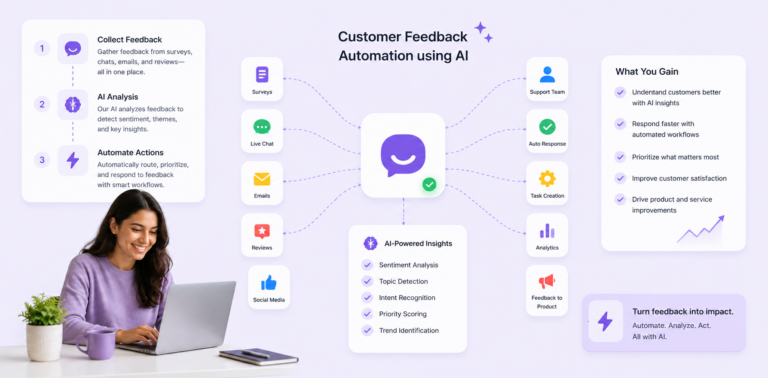
WhatsApp's response rates make it the ideal channel for post-support CSAT collection. After a conversation closes, the AI agent automatically sends a short satisfaction survey — typically 1-3 questions using WhatsApp's list buttons or quick reply options.
Sample CSAT flow:
- "How satisfied were you with the support you received today?"
- Very satisfied / Satisfied / Neutral / Dissatisfied
- (If dissatisfied): "What could we have done better?"
- Response time / Accuracy of answer / Agent communication / Other
Response rates for WhatsApp CSAT surveys average 45-65%, compared to 10-20% for post-email surveys. This data feeds directly into your quality assurance workflows, agent performance metrics, and product feedback loops.
Advanced implementation: Use CSAT triggers conditionally. If the AI agent resolved the conversation without human involvement, send a shorter 1-question rating. If a human agent was involved, include the agent name and ask for agent-specific feedback. This granularity helps you distinguish AI performance from human agent performance in your analytics.
Use Case 7: Multilingual Support Without Hiring Multilingual Agents
Global companies can't afford specialized agent teams for every language. Advanced AI agents on WhatsApp detect the customer's language from their first message and respond in kind — drawing from a multilingual knowledge base and using real-time translation where necessary.
Implementation architecture:
- Language detection fires on the first customer message
- The AI agent switches its response language automatically
- For languages with high confidence translation (Spanish, French, German, Portuguese, Arabic), the AI handles the full conversation
- For lower-confidence languages, the AI translates and flags the conversation for a bilingual agent
- Human escalation preserves language continuity — agents are matched by language capability
This use case alone can justify WhatsApp AI investment for companies with international customer bases. Instead of staffing Spanish, French, and German support queues around the clock, a single AI infrastructure covers all three 24/7 while human agents handle escalations during business hours.
Implementation Roadmap for WhatsApp AI Support
Phase 1: API Setup and Infrastructure (Weeks 1-2)
- Register and verify your WhatsApp Business Account
- Apply for WhatsApp Business API access through Meta or a Business Solution Provider
- Connect your CRM and helpdesk via API integrations
- Define your first 10 message templates and submit for approval
Phase 2: Core Workflow Build (Weeks 3-5)
- Build your triage logic and intent classification model
- Configure escalation rules and agent routing
- Create your knowledge base for the AI agent
- Set up CSAT survey automation
Phase 3: Pilot Launch (Weeks 6-8)
- Go live with a limited customer segment or single use case (e.g., order status only)
- Monitor deflection rate, escalation rate, and CSAT daily
- Iterate on conversation flows based on real interactions
Phase 4: Expand and Optimize (Week 9+)
- Add proactive outreach use cases
- Expand to multilingual support
- Enable rich media support workflows
- Build out analytics dashboards for ongoing performance management
Key Metrics to Track
| Metric | Target Benchmark |
|---|---|
| First Response Time | Under 60 seconds |
| AI Deflection Rate | 35-55% |
| First Contact Resolution | 65-75% |
| Escalation Rate | 20-30% |
| CSAT Score | 80+ |
| Survey Response Rate | 45-65% |
| Proactive Message Open Rate | 75-90% |
Frequently Asked Questions
What can AI agents do on WhatsApp that basic bots cannot?
Advanced AI agents maintain conversation context across multiple turns, integrate with your CRM and backend systems in real time, handle rich media inputs and outputs, detect sentiment and intent nuance, and execute complex multi-step workflows. Basic bots follow rigid decision trees and fail when conversations deviate from the expected path. The distinction is the difference between a script reader and a trained customer service professional.
How do I automate WhatsApp customer service without losing the personal touch?
The key is designing your AI escalation logic carefully. Automate routine, high-volume interactions — order status, password resets, FAQ responses, shipping updates — while preserving human agents for complex, emotional, or high-value conversations. When the AI hands off to a human, the context transfer must be seamless so the customer never has to repeat themselves. Personalization within automated messages (using the customer's name, account details, and history) also maintains warmth even in AI-driven conversations.
Can AI handle WhatsApp escalations to human agents?
Yes, and this is one of the most critical parts of the implementation. Well-designed AI agents detect when to escalate based on sentiment analysis, issue complexity, customer tier, or explicit customer request. They create a structured handoff summary and route to the appropriate human agent queue. The customer receives a notification that a human is joining, and the conversation continues in the same WhatsApp thread without disruption.
What is the typical ROI of WhatsApp AI support?
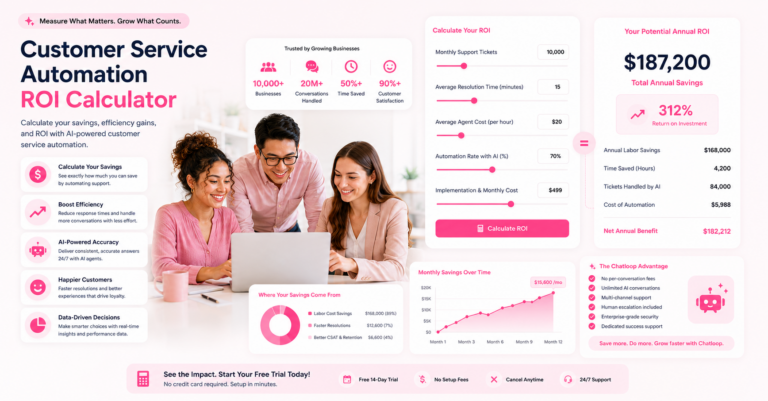
Organizations typically achieve payback within 4-8 months. Primary savings come from support deflection (fewer human-handled contacts) and reduced average handling time for escalated cases. Secondary gains come from improved retention driven by faster response times and higher CSAT. A 500-contact-per-day operation that achieves 40% deflection with an average human handling cost of $8 per contact saves approximately $585,000 annually in direct labor costs alone.
How do AI agents handle multilingual WhatsApp conversations?
Language detection fires on the first message using NLP classification. The AI agent responds in the detected language and maintains that language throughout the conversation. High-confidence languages (Spanish, French, Portuguese, German, Arabic) are handled end-to-end by the AI. Lower-confidence or rare languages trigger a flag for human review. The system can also be configured to always respond in a customer's preferred language as stored in your CRM, overriding detection.
Conclusion
WhatsApp is no longer a supplementary support channel — for many customer segments, especially in mobile-first markets, it's the primary one. Companies that deploy advanced AI agents on WhatsApp capture meaningful advantages: dramatically lower support costs, faster resolution times, higher CSAT, and the ability to scale globally without proportional headcount growth.
The seven use cases in this guide — intelligent triage, proactive outreach, complex troubleshooting, rich media support, seamless escalation, CSAT collection, and multilingual support — represent the full spectrum of what's possible with the current generation of WhatsApp AI technology. Start with one or two high-impact use cases, measure results, and expand systematically.
Ready to deploy advanced AI agents on WhatsApp? Book a demo with Chatloop to see how our WhatsApp AI support suite handles your specific use cases — and get a customized implementation plan within 48 hours.


2 Responses on this post
Comments are closed.