


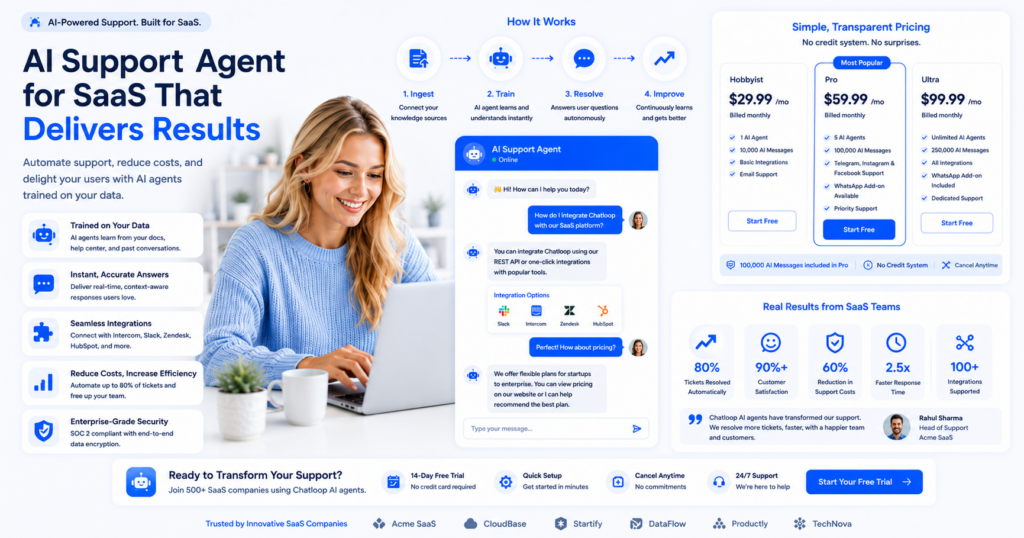
SaaS companies operate on razor-thin margins. Every percentage point of improved efficiency directly impacts bottom-line profitability. An AI support agent for SaaS companies represents one of the highest-ROI investments a growing SaaS business can make.
With the average SaaS support ticket costing $10-50 to resolve manually, and customers expecting response times under 15 minutes, the pressure on support teams is relentless — and slow responses carry a measurable cost to the business. This guide explores how leading SaaS companies are deploying AI support agents to achieve 50-70% cost reductions while improving customer satisfaction.
Understanding AI Support Agents for SaaS
What Sets SaaS Support Apart
SaaS customer support differs significantly from other industries:
- Technical Complexity: Customers need help with features, integrations, troubleshooting
- 24/7 Expectation: Customers expect round-the-clock availability
- Volume Variability: Usage patterns create unpredictable support spikes
- Retention Critical: Every support interaction impacts churn risk
- Integration Heavy: Most issues involve third-party integration problems
What is an AI Support Agent?
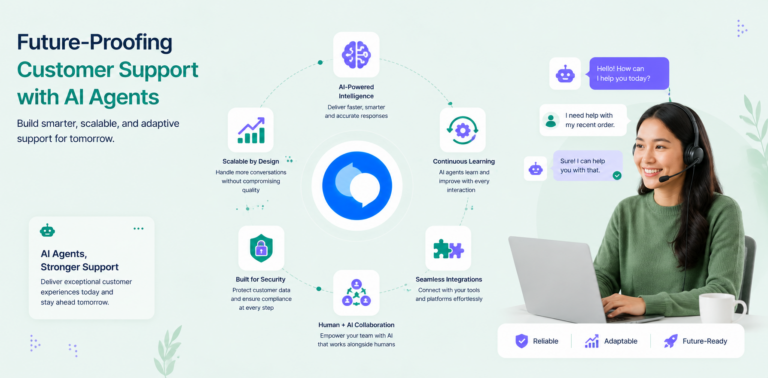
An AI support agent for SaaS companies is an intelligent system trained on your product documentation, API references, and support history that can:
- Handle Tier 1 Issues: FAQ-style questions, account issues, basic troubleshooting
- Qualify Complex Issues: Route difficult problems to appropriate specialists
- Provide Accurate Solutions: Reference your knowledge base for precise answers
- Learn Continuously: Improve accuracy based on feedback and new information
- Scale Automatically: Handle 100 concurrent conversations without additional headcount
The Business Case for AI Support Agents in SaaS
Financial Impact Analysis
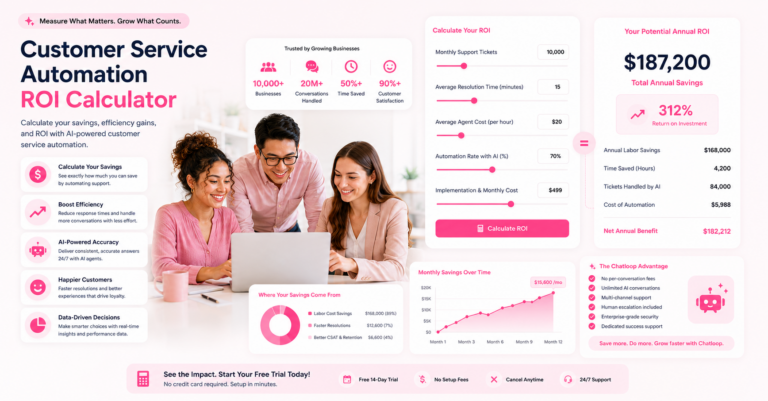
Baseline SaaS Support Costs:
- Average support ticket resolution: 45 minutes
- Cost per ticket: $22.50 (@ $30/hour loaded cost)
- Daily tickets for 50-person SaaS: 150 tickets
- Monthly support cost: $101,250
With AI Support Agent:
- AI handles 60% of tickets (90 tickets)
- Cost per AI ticket: $0.15 (infrastructure)
- Manual handling: 60 tickets @ $22.50 = $1,350
- Monthly support cost: $4,500 (AI infrastructure + reduced manual)
- Monthly savings: $96,750
- Annual savings: $1.16 million
Customer Experience Impact
Before AI Agent:
- Average response time: 30 minutes
- Customer satisfaction: 72%
- First-contact resolution: 45%
- After-hours coverage: None
After AI Agent:
- Average response time: 30 seconds
- Customer satisfaction: 88%
- First-contact resolution: 75%
- After-hours coverage: 24/7
Implementing AI Support Agents: Strategic Roadmap
Phase 1: Foundation (Weeks 1-4)
1.1 Audit Your Support Operation
Analyze your current support data:
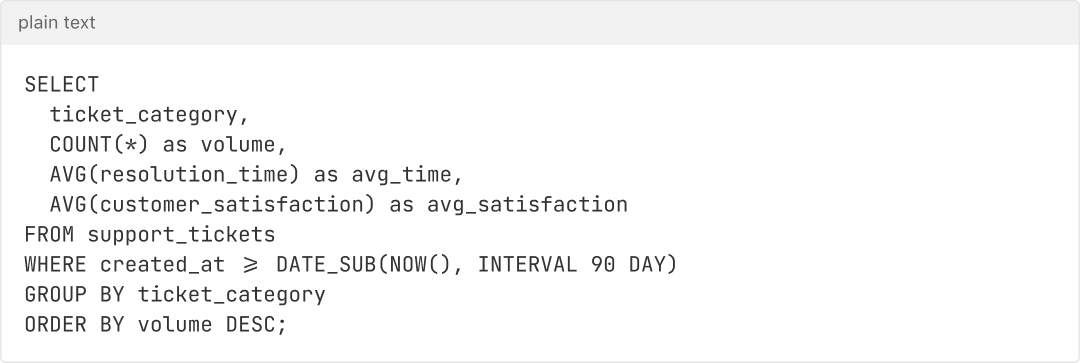
Expected Findings:
- 20% of questions account for 60% of tickets
- FAQ-type questions: 40-50% of volume
- Product troubleshooting: 25-30%
- Account/billing: 15-20%
- Complex issues: 5-10%
1.2 Create Your Knowledge Base
Compile all support materials:
- Product documentation (all versions)
- API documentation
- Integration guides (popular integrations)
- FAQ section (organized by category)
- Troubleshooting guides
- Account management guides
- Billing/pricing documentation
- Common error messages with solutions
Target: 200-500 FAQ pairs, 50+ troubleshooting guides
1.3 Define Automation Scope
Identify what percentage of tickets can be automated:
| Category | % of Volume | Automation Potential |
|---|---|---|
| FAQ Questions | 40% | 95% |
| Account Issues | 20% | 85% |
| Billing Questions | 15% | 90% |
| Troubleshooting | 20% | 60% |
| Feature Requests | 5% | 10% |
Conservative Estimate: 60% of tickets can be fully automated
Phase 2: Implementation (Weeks 5-10)
2.1 Select and Configure Platform
Selection criteria for SaaS support AI:
- Natural language understanding quality
- Integration with your support system (Zendesk, Intercom, etc.)
- Custom knowledge base support
- Analytics and reporting
- Escalation workflows
- Cost per ticket handled
2.2 Train Your AI Agent
Process:
- Upload all documentation and FAQ content
- Create Q&A pairs for common scenarios
- Configure escalation triggers
- Set response tone and voice guidelines
- Test with internal team (50+ test cases)
- Refine based on feedback
2.3 Set Up Escalation Rules
Define when to escalate to humans:
- Unconfidence score > 0.7 (AI unsure)
- Sentiment indicates frustration
- Custom keywords (e.g., "urgent," "critical")
- Issues involving payments or data
- Feature requests or complaints
- After 2 failed resolution attempts
Phase 3: Pilot Launch (Weeks 11-14)
3.1 Controlled Rollout
- Week 1: Internal testing with support team
- Week 2: Deploy to 10% of customers (early adopters)
- Week 3: Monitor metrics, gather feedback
- Week 4: Expand to 50% based on results
Pilot Success Metrics:
- AI handles 50%+ of conversations
- Customer satisfaction ≥ 80%
- Escalation rate ≤ 20%
- Average response time ≤ 1 minute
3.2 Monitor and Optimize
Daily monitoring:
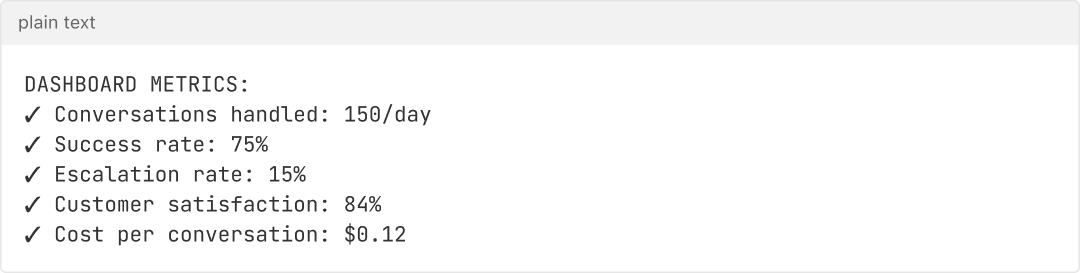
Weekly optimization:
- Review failed conversations
- Add new patterns to knowledge base
- Improve response accuracy
- Update escalation rules
- Gather team feedback
Phase 4: Full Deployment (Week 15+)
4.1 Rollout to All Channels
- Email support
- Chat support
- Help desk ticketing
- Customer portal
- Mobile app support
4.2 Continuous Improvement
Ongoing processes:
- Monthly performance reviews
- Quarterly knowledge base audits
- Regular customer satisfaction surveys
- Competitive benchmarking
- Feature updates and improvements
Advanced Features for SaaS Support
Smart Context Understanding
AI should understand:
- Customer's account status and subscription level
- Recent product usage patterns
- Previous support interactions
- Current system status/incidents
- Integration health status
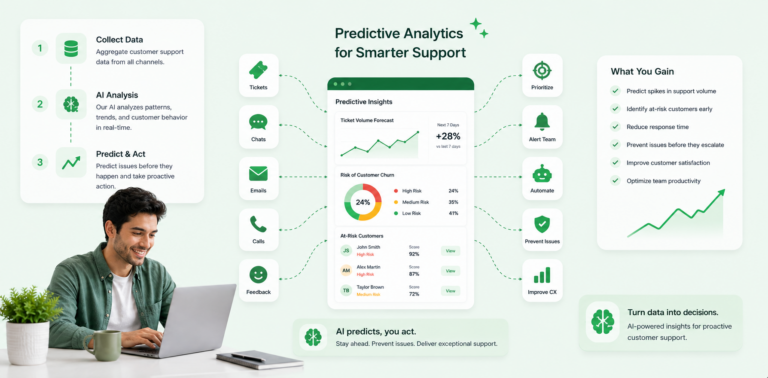
Proactive Support
Move beyond reactive support:
- Detect common error patterns and reach out
- Suggest features based on usage
- Alert to upcoming deprecations
- Recommend optimization tips
- Notify about relevant updates
Multi-Channel Consistency
Ensure consistent experience across:
- Email support
- In-app chat
- Help desk portal
- Community forums
- Knowledge base
ROI Metrics for SaaS
Direct Cost Savings
Monthly Calculation:
- Current tickets: 3,000
- Manual cost per ticket: $22.50
- Current monthly cost: $67,500
- With AI: 1,200 manual tickets @ $22.50 = $27,000
- Monthly savings: $40,500
- Annual savings: $486,000
Indirect Benefits
Revenue Impact:
- Improved satisfaction → 2% churn reduction
- For $1M ARR company: +$20,000/month recurring
- Faster support → higher conversions
- Self-service reduces friction
- Better retention → higher LTV
Operational Impact:
- Support team focuses on strategic issues
- Reduces support hiring needs
- Improves team satisfaction
- Enables faster product iteration
Implementation Checklist
Pre-Launch (Weeks 1-4)
- Audit current support tickets (last 90 days)
- Identify automation opportunities
- Compile knowledge base (200+ FAQ pairs)
- Define escalation rules
- Select platform and request trial
- Get team buy-in
Configuration (Weeks 5-10)
- Upload all documentation
- Create Q&A training pairs
- Configure integrations
- Set escalation workflows
- Conduct internal testing (50+ scenarios)
- Train team on system
Pilot (Weeks 11-14)
- Deploy to internal team
- Create monitoring dashboard
- Test with 10% of customers
- Monitor daily metrics
- Gather feedback weekly
- Optimize based on data
Launch (Week 15+)
- Deploy to 100% of customers
- Monitor performance closely
- Announce feature to all customers
- Provide customer support for new feature
- Plan ongoing optimization
- Report ROI to stakeholders
Best Practices
1. Be Transparent
- Disclose when customer is talking to AI
- Offer easy escalation to human
- Use honest limitations messaging
2. Maintain Quality Standards
- Regular accuracy audits
- Customer satisfaction tracking
- Response quality reviews
- Regular retraining
3. Integrate Seamlessly
- Maintain customer context across channels
- Preserve conversation history
- Enable smooth handoffs to humans
- Integrate with existing tools
4. Measure Everything
- Response time
- Resolution rate
- Customer satisfaction
- Cost per ticket
- Escalation rate
- Sentiment analysis
5. Iterate Continuously
- Monthly performance reviews
- Quarterly strategy assessments
- Annual ROI calculations
- Regular competitive analysis
Common Challenges & Solutions
| Challenge | Solution |
|---|---|
| Customers expect human immediately | Communicate response time; offer escalation |
| AI makes mistakes | Flag uncertain responses; requires human review |
| Knowledge base becomes outdated | Weekly review process; version control |
| Integration complexity | Use managed platform with pre-built connectors |
| Adoption resistance | Pilot with advocates; share early wins |
Conclusion
AI support agents represent a strategic opportunity for SaaS companies to achieve significant cost reductions while improving customer satisfaction. The key is thoughtful implementation, continuous monitoring, and iterative optimization.
Expected Outcomes:
- 50-70% reduction in support costs
- 20-30% improvement in customer satisfaction
- 60% automation rate for tier-1 issues
- Faster response times (minutes to seconds)
- Improved employee satisfaction
Implementation Timeline
Month 1: Planning & preparation
Month 2: Implementation & testing
Month 3: Pilot launch (10% of customers)
Month 4: Full deployment & optimization
Months 5-6+: Continuous improvement & expansion
Start small, measure rigorously, and scale based on validated results.
Ready to improve your SaaS support? Request a demo and start a free trial today.


Comments are closed.