


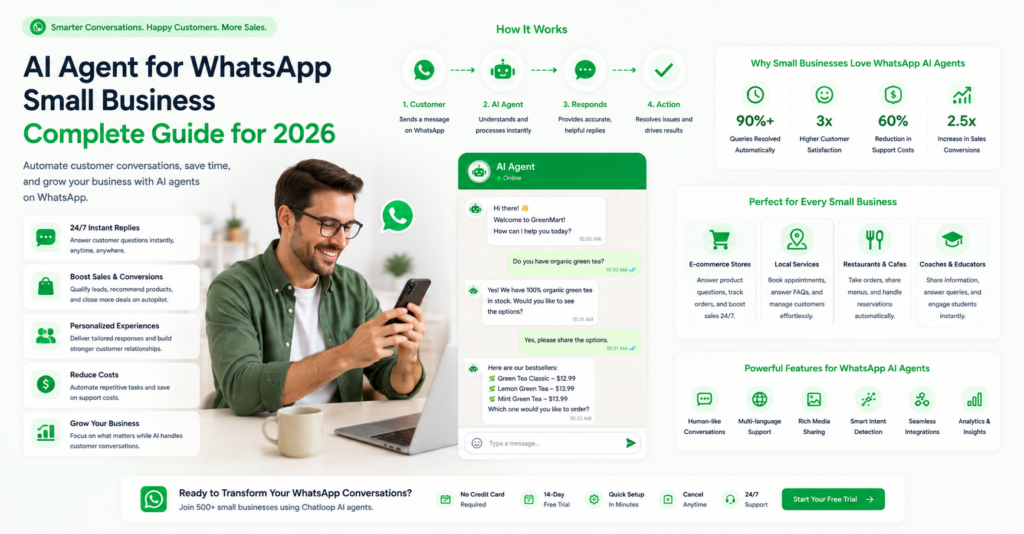
WhatsApp has revolutionized business communication, with over 100 million messages exchanged daily between businesses and customers. An AI agent for WhatsApp small business has become essential for entrepreneurs looking to automate customer interactions, improve response times, and scale support operations without expanding their team.
In this comprehensive guide, we'll explore everything you need to know about deploying AI agents on WhatsApp for your small business—from basic concepts to advanced implementation strategies that deliver measurable results.
What is an AI Agent for WhatsApp Small Business?
An AI agent for WhatsApp is an intelligent automated system that manages customer conversations on the WhatsApp Business platform. These agents use natural language processing and machine learning to understand customer inquiries, provide accurate responses, and escalate complex issues to human agents when necessary.
Key Capabilities
24/7 Availability: Respond instantly to customer messages at any time Multi-Language Support: Communicate with customers in their preferred language Smart Routing: Automatically direct issues to the right team member Contextual Understanding: Maintain conversation history for personalized responses Integration Ready: Connect seamlessly with your CRM, inventory, and payment systems
Why Small Businesses Need AI Agents on WhatsApp
The Small Business Challenge
Small business owners face a critical challenge: customer expectations for instant communication have never been higher, yet resources for 24/7 support remain limited. WhatsApp presents a unique opportunity—it's where your customers already spend their time.
Statistics That Matter:
- 80% of customers prefer messaging over calls
- Average WhatsApp response time expectation: 5 minutes
- Small businesses handle 5-50 support requests daily
- Manual responses cost $0.50-$2.00 per ticket
Business Impact
Implementing an AI agent for WhatsApp small business can deliver:
- 60-70% reduction in response time
- 40-50% decrease in support costs
- 35-45% improvement in customer satisfaction
- 20-30% increase in sales through proactive messaging
How AI Agents on WhatsApp Work
The Technology Stack
Modern AI agents utilize:
- Natural Language Processing (NLP): Understands customer intent
- Machine Learning Models: Learns from conversations over time
- Knowledge Base Integration: Pulls information from your systems
- API Connections: Links to CRM, e-commerce, inventory systems
- Real-time Processing: Responds within seconds
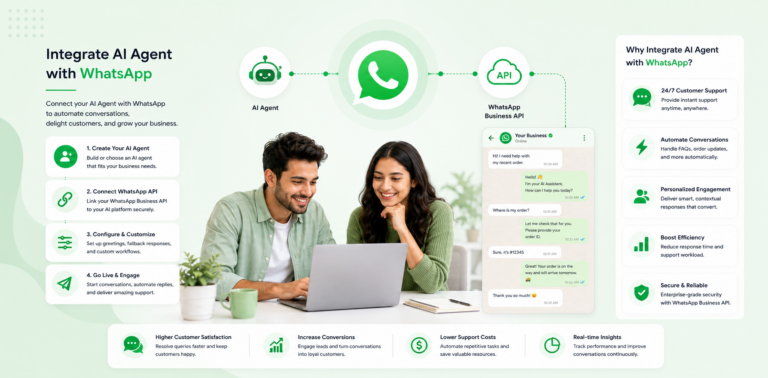
The Flow

Example Workflows
Customer: "Can I get a refund on order #12345?"
AI Agent: "I can help! Let me check your order details... Your order qualifies for our 30-day return policy. Would you like me to initiate the refund process?"
Setting Up an AI Agent for WhatsApp Small Business
Step 1: Planning (Days 1-3)
Define Your Goals:
- What percentage of inquiries should automation handle? (Target: 40-60%)
- Which types of conversations to automate? (FAQ, orders, booking, support)
- What's your budget? ($100-500/month is typical for small business)
Audit Current Inquiries:
- Track top 20 most common questions
- Identify common customer pain points
- Document response patterns
Create Success Metrics:
- Response time targets
- Automation rate goals
- Customer satisfaction scores
- Cost per interaction
Step 2: Choosing the Right Platform (Days 4-5)
Evaluation Criteria:
- No-code setup required
- WhatsApp Business API integration
- Knowledge base management
- Analytics and reporting
- Customer support quality
Step 3: Preparing Your Knowledge Base (Days 6-10)
Content You Need Ready:
- FAQs: Most common customer questions (30-50 items)
- Product Information: Descriptions, pricing, availability
- Policies: Returns, refunds, shipping, warranty
- Common Issues: Troubleshooting steps, solutions
- Contact Information: Escalation paths, business hours
Format: Plain text, Word documents, or structured spreadsheets
Step 4: Configuration & Testing (Days 11-15)
Setup Checklist:
- Create WhatsApp Business account
- Verify business on Meta
- Install AI agent platform
- Connect WhatsApp integration
- Upload knowledge base
- Configure initial responses
- Set escalation rules
- Create test scenarios
- Train on common questions
- Establish human handoff process
Step 5: Launch & Optimization (Days 16-20)
Soft Launch:
- Start with 20% of customers (test group)
- Monitor for 3-5 days
- Gather feedback and issues
- Make improvements
Full Launch:
- Roll out to all customers
- Announce feature in emails, social media
- Monitor daily metrics
- Adjust responses based on feedback
Implementation Timeline
| Phase | Duration | Tasks | Expected Outcome |
|---|---|---|---|
| Planning | 3 days | Goal definition, audit | Clear objectives |
| Preparation | 7 days | Knowledge base creation | 40-50 QA pairs |
| Configuration | 5 days | Platform setup, testing | Live testing environment |
| Launch | 5 days | Soft launch, monitoring | System stability verified |
| Optimization | Ongoing | Performance review | 40-60% automation rate |
Best Practices for AI Agents on WhatsApp
1. Start Narrow, Expand Wide
Begin with FAQ automation only. Once stable, add:
- Order status inquiries
- Appointment scheduling
- Product recommendations
- Support ticket routing
2. Maintain a Human Touch
- Always offer "Talk to an agent" option
- Transfer complex issues immediately
- Use customer names in responses
- Acknowledge when human help needed
3. Continuous Learning
- Review failed conversations weekly
- Update responses based on feedback
- Add new information to knowledge base
- Remove outdated or incorrect information
4. Respect Privacy & Compliance
- Comply with GDPR and local regulations
- Encrypt all customer data
- Disclose that they're chatting with AI
- Provide clear data usage policies
5. Monitor Quality Metrics
Weekly Reviews:
- Customer satisfaction score
- Automation rate (% of conversations handled)
- Average resolution time
- Escalation rate
Monthly Deep-Dives:
- Most common unresolved inquiries
- Customer feedback themes
- Competitor benchmarking
- ROI calculation
Real-World Success Cases
Case Study 1: E-Commerce Store
Business: 3-person online retail store Challenge: 30+ WhatsApp inquiries daily, response time 4-6 hours Solution: AI agent for order tracking, returns, shipping
Results After 3 Months:
- 50% of inquiries handled automatically
- Response time: 30 seconds (average)
- Customer satisfaction: 92% (up from 78%)
- Monthly cost: $199
Case Study 2: Service Business
Business: Local plumbing service Challenge: Missed booking inquiries, after-hours requests Solution: AI agent for appointment scheduling, service info
Results After 6 Weeks:
- 40% of booking requests automated
- After-hours inquiries: 100% captured
- Booked appointments increased 22%
- Monthly cost: $149
ROI Calculation for Your Business
Cost Savings
Current State:
- 30 inquiries/day × 5 minutes each = 2.5 hours daily
- Hourly rate: $15/hour = $37.50/day savings
- Monthly savings: $750 (conservative)
With AI Agent:
- 15 automated inquiries × $0 = $0
- 15 manual inquiries × $15/hr = $7.50
- Monthly cost: $199
- Net savings: $551/month = $6,612/year
Revenue Impact
Sales Opportunities:
- Proactive product recommendations: +$500-1000/month
- Faster response = less lost leads: +$200-400/month
- Improved customer retention: +$300-600/month
- Total revenue increase: 15-25%
Common Challenges & Solutions
| Challenge | Solution |
|---|---|
| AI doesn't understand question | Configure escalation to human agent |
| Responses feel robotic | Customize tone and add personality |
| Integration issues | Use managed platform with pre-built connectors |
| Data privacy concerns | Choose GDPR-compliant platform |
| Limited knowledge base | Start small, expand gradually |
Comparison with Alternatives
AI Agent for WhatsApp vs. Email Support
| Aspect | AI Agent (WhatsApp) | |
|---|---|---|
| Response Time | Seconds | Hours/Days |
| Customer Preference | 80% prefer | 15% prefer |
| Automation Potential | 40-60% | 10-20% |
| Cost | $100-300/mo | $500-2000/mo |
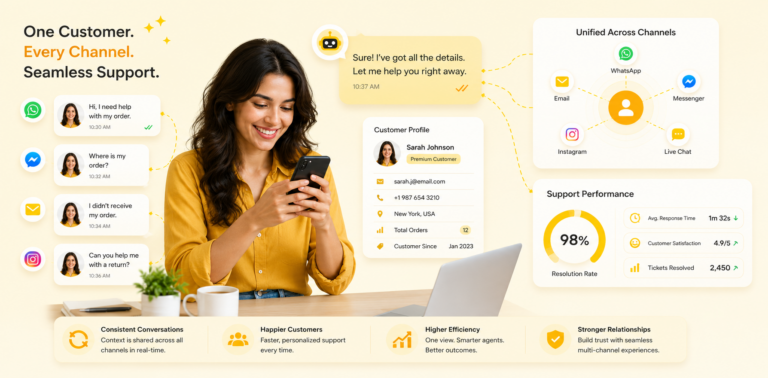
Of course, WhatsApp doesn't have to be your only channel — many small businesses run it as part of a broader unified multi-channel support setup that brings email, chat, and social messages into one place.
AI Agent for WhatsApp vs. Traditional Chatbot
| Feature | AI Agent | Traditional |
|---|---|---|
| Understanding | Advanced NLP | Rule-based |
| Learning | Improves over time | Static |
| Conversations | Natural | Scripted |
| Cost | $150-300/mo | $50-150/mo |
Getting Started: Quick Action Plan
Week 1: Preparation
- Audit your top 20 customer questions
- Research AI agent platforms
- Request demo/trial access
- Estimate ROI for your business
Week 2: Implementation
- Select platform
- Create WhatsApp Business account
- Upload knowledge base
- Configure initial settings
- Set escalation rules
Week 3: Testing
- Conduct internal tests
- Test with 5 trusted customers
- Gather feedback
- Make improvements
Week 4: Launch
- Soft launch (20% of customers)
- Monitor metrics
- Fix issues
- Full launch
Week 5+: Optimization
- Review metrics weekly
- Update knowledge base
- Optimize responses
- Plan expansion
FAQ
Q: How long does setup take?
A: For small business, 2-4 weeks from decision to full deployment.Q: What if my business is seasonal?
A: AI agents are ideal for seasonal spikes—they handle volume without hiring.Q: Can it handle multiple languages?
A: Yes, most platforms support 50+ languages with automatic detection.Q: What happens if customers don't like it?
A: Always maintain human support option; customers choose their preference.Q: Is my customer data secure?
A: Yes, reputable platforms offer enterprise-grade encryption and GDPR compliance.Q: Can I integrate with my existing systems?
A: Most platforms offer integrations with popular CRM, e-commerce, and accounting software.Q: What's the minimum business size for ROI?
A: Businesses handling 10+ customer inquiries daily typically see positive ROI.Conclusion
An AI agent for WhatsApp small business is no longer a luxury—it's a practical necessity for staying competitive. With proper implementation, you can achieve:
- 50-70% reduction in response time
- 40% cost savings on support
- 20-30% improvement in customer satisfaction
- Capacity to handle 5-10x more inquiries with same team — the same playbook that lets support scale from startup to enterprise
The key is starting small, measuring results, and continuously optimizing based on real data.
Next Steps
- Evaluate your current support burden: Count daily messages and average response time
- Calculate your potential ROI: Use the formula from this guide
- Request a platform demo: Test with your actual FAQ questions
- Plan your 4-week implementation timeline
- Start with pilot group: Deploy to 20% first
Ready to implement? Most platforms offer 14-day free trials. Start small, prove ROI, then scale.


Comments are closed.