


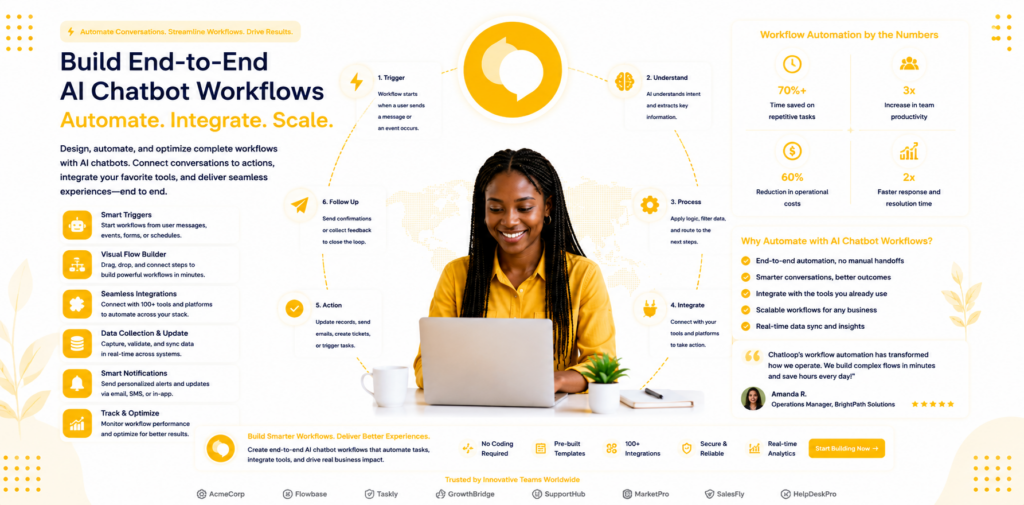
Most businesses start their AI chatbot journey with simple FAQ automation. A customer asks a question, the AI answers it. This is valuable — and it is just the first step. The businesses extracting the most from AI in 2026 have moved beyond FAQ handling to end-to-end workflow automation: multi-step processes that the AI initiates, progresses, and completes without human involvement.
This guide explains what AI chatbot workflow automation looks like in practice, which workflows are the highest-value automation targets, and how to build your first automated workflow with a no-code platform.
The Difference Between FAQ Automation and Workflow Automation
FAQ automation resolves a single query: a customer asks, the AI answers. The interaction is complete. Workflow automation is different — it involves a sequence of steps, conditional logic, and often actions in external systems.
Example: Appointment booking workflow Step 1 — Customer asks to book an appointment via chat. Step 2 — AI presents available slots by querying the calendar integration. Step 3 — Customer selects a slot. Step 4 — AI creates the booking in the calendar, sends a confirmation email, and logs the interaction in the CRM. Step 5 — AI sends a reminder 24 hours before the appointment.
This entire sequence — from first message to reminder — can run without human involvement. The AI is not just answering a question; it is executing a business process.
The shift from FAQ automation to workflow automation is the step that moves AI from a support cost-reduction tool to a genuine business operations asset. For more on how this shift affects your ROI measurement, see the state of AI customer service in 2025.
High-Value Workflow Automation Targets
Not every business process is suitable for AI workflow automation. The best targets share common characteristics: they are triggered by a predictable event, follow a defined sequence of steps, involve limited exceptions that require human judgment, and happen frequently enough that automation produces meaningful time savings.
Lead Capture and Qualification
When a visitor lands on your pricing page, browses more than three product pages, or downloads a resource, this is a trigger event. The AI workflow that follows: engage the visitor with a contextual message, ask qualifying questions about their use case and timeline, score the response against your qualification criteria, route qualified leads to a rep with full conversation context, and enter unqualified leads into a nurture sequence.
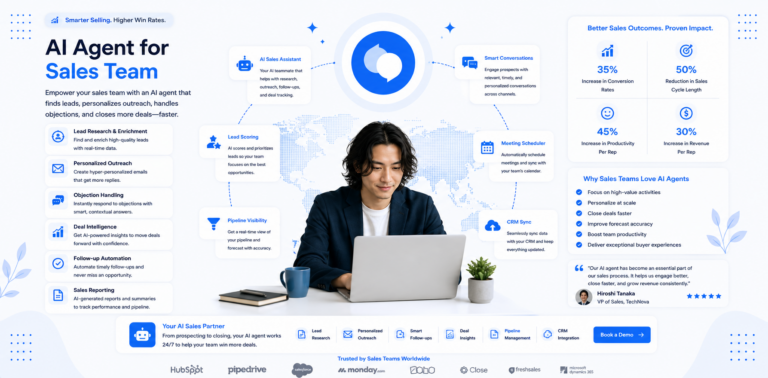
This workflow replaces hours of manual follow-up with a process that runs in seconds from trigger to routing. For detailed configuration, see the AI agent for sales team guide.
Customer Onboarding Sequences
When a new customer signs up, a trial user registers, or a purchase is completed, the onboarding workflow begins: send a welcome message with next steps, check in at day three if key actions have not been completed, send a how-to guide on day five, offer a human check-in at day seven if the customer has not reached key activation milestones.
Each of these steps is triggered by a condition (time elapsed, action completed or not completed) and executes automatically. A customer who completes activation receives no further prompts. A customer who stalls receives targeted help. The AI handles the entire sequence without a human monitoring it.
Returns and Refund Processing
A common high-volume, rule-based process: customer initiates a return request via chat. AI verifies eligibility against your returns policy (item type, purchase date, condition). AI provides return instructions and generates a prepaid return label if eligible. AI logs the return in the order management system and triggers a refund when the return is received.
For eligible, standard returns this workflow completes end-to-end without human involvement. The how to automate customer support guide covers this in the broader context of support workflow automation.
Booking and Scheduling
Service businesses, healthcare practices, hospitality, and professional services all process high volumes of appointment requests that follow a standard flow. The AI presents available slots, captures customer preferences, makes the booking, and confirms — connecting to your calendar and booking system in real time.
For more on this specific use case, see chatloop.io for travel which covers booking automation for hospitality businesses in detail.
Complaint Triage and Escalation
When a customer initiates a complaint, the AI workflow: acknowledges the complaint, gathers structured information (order number, issue type, desired resolution), classifies severity based on issue type and customer tier, and routes to the appropriate team member with a full brief. High-severity complaints (high-value customers, safety issues, potential legal matters) escalate immediately and trigger a notification to a senior team member.
This workflow ensures no complaint goes unacknowledged and every escalation arrives with full context — two of the most common failure points in manual complaint handling.
Building Your First Workflow: A Step-by-Step Guide
Step 1: Choose Your First Workflow
Select a workflow that is: high-frequency (happens 20+ times per week), clearly defined (you can write out every step without ambiguity), and has a measurable outcome (you can track whether it was completed successfully).
For most businesses, appointment booking, lead qualification, or a standard returns flow are the best starting points. Start with one workflow and prove the model before expanding.
Step 2: Map the Current Process
Document every step of the current workflow in detail. Include: what triggers the process, who does what at each step, what information is needed at each stage, what systems are involved, and where the most common exceptions arise.
This documentation is both your automation blueprint and your test criteria. If the AI-automated workflow cannot replicate every step of the documented manual process, it is not ready to go live.
Step 3: Identify Integration Requirements
Most workflows involve external systems — a CRM, a calendar, an order management system, or a helpdesk. Identify which systems the workflow touches and confirm that your chatbot platform supports the required integrations.
Chatloop.io's integrations support connections to common business tools. For each integration point in your workflow, verify the connection is supported and test it explicitly before launch.
Step 4: Configure the Workflow in the Dashboard
With chatloop.io's no-code interface, workflow configuration follows a trigger-condition-action structure. Set up your workflow in the dashboard by defining:
- Trigger: What event starts the workflow? (Customer message, page visit, form submission, time elapsed)
- Conditions: What criteria determine which path the workflow takes? (Query type, customer tier, hour of day, previous interaction)
- Actions: What does the AI do at each step? (Send a message, look up data, create a record, send an email, route to a human)
- Completion criteria: How does the workflow know it has succeeded?
Each element is configured through a visual interface without writing code. For guidance on getting started, see how to set up an AI agent without coding.
Step 5: Test with Edge Cases
The most common workflow automation failures occur at edge cases — the scenarios that fall outside the standard path. Before going live, test:
- What happens when a required system is unavailable (calendar offline, CRM not responding)?
- What happens when the customer provides ambiguous or incomplete information?
- What happens when the workflow reaches a step that has no configured action for the current input?
Every edge case should have a graceful handling path — typically, a message that acknowledges the issue and provides a human escalation path.
Step 6: Monitor and Refine
After launch, track workflow completion rates. A workflow that starts 100 times per week and completes successfully 75 times is performing well. One that completes 40 times has 60 failures to investigate. Review every failed workflow run in the first two weeks to identify patterns — almost always a small number of edge cases account for the majority of failures.
Connecting Multiple Workflows
As your individual workflows mature, you can connect them into more sophisticated sequences. A lead capture workflow feeds into a qualification workflow, which triggers a nurture sequence, which eventually triggers a sales handoff workflow. An onboarding workflow feeds into a check-in workflow, which feeds into a renewal or upsell workflow.
This connected architecture — where the completion of one workflow triggers the start of the next — is the foundation of fully automated customer journeys. The customer experience is consistent and personalised at every touchpoint, regardless of which team member happens to be available.
For businesses with sales, marketing, and support functions, this end-to-end automation connects chatloop.io for sales, chatloop.io for marketing, and chatloop.io for customer support into a single coherent customer journey.
FAQ
How complex can an AI workflow be before it needs custom development? Most business workflows — even multi-step processes with conditional logic and external system integrations — can be built with a no-code platform like chatloop.io. The threshold where custom development is needed is enterprise-scale processes with unusual system requirements or highly complex conditional logic with dozens of branches.
What if a workflow involves a step where the AI is not confident? Configure a confidence threshold below which the AI escalates to a human rather than proceeding. This is preferable to the AI attempting an action it is not certain about, particularly for workflows that involve financial transactions or irreversible actions.
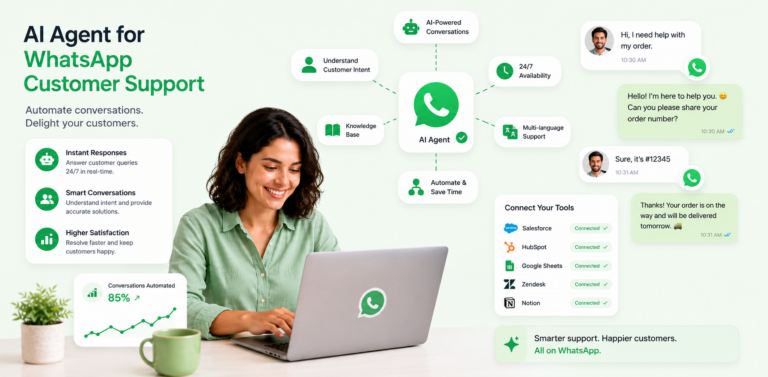
Can I run the same workflow across different channels (website, WhatsApp)? Yes. Chatloop.io supports multi-channel deployment, so the same workflow logic can run across your website chat and WhatsApp from a single configuration. Review how to integrate an AI agent with WhatsApp for the channel-specific setup steps.
How do I handle a workflow that requires information from a system chatloop.io does not integrate with? Use webhooks to connect to systems outside the standard integration library. A webhook allows chatloop.io to send and receive data from any system that supports HTTP requests — which covers most business tools. Technical documentation is available in the chatloop.io help centre.
What is a realistic timeline to build and deploy my first automated workflow? For a straightforward workflow (appointment booking, lead qualification), a non-technical user typically completes configuration and testing within one to two days. More complex workflows with multiple integration points may take three to five days.
Build your first end-to-end AI workflow today. Start your free chatloop.io trial and automate your most time-consuming process this week.

Comments are closed.