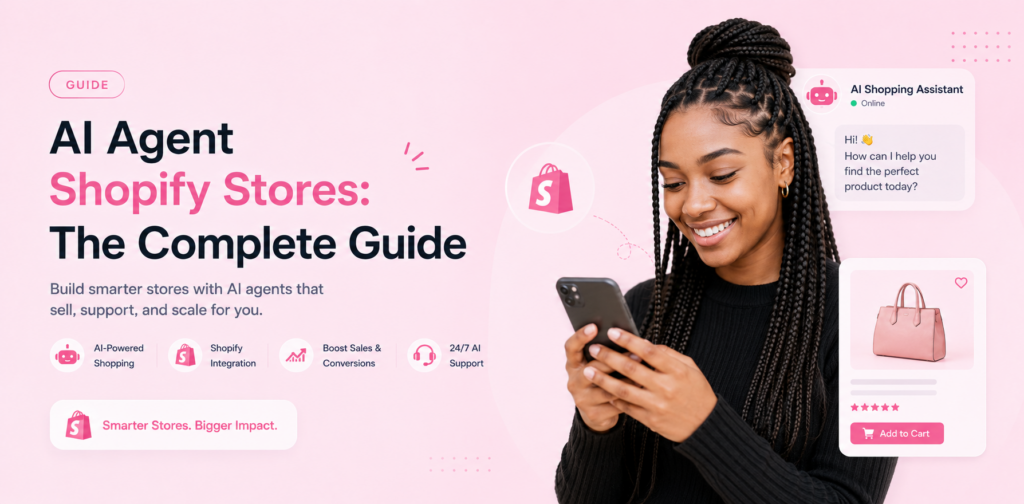
Shopify stores run lean. The founder or a small team handles everything — sourcing, fulfilment, marketing, and customer support — often without dedicated support staff. As store volume grows, support queries scale with it: order status questions, returns requests, shipping queries, sizing questions, and discount code enquiries arriving faster than any small team can respond to manually.
An AI agent integrated with your Shopify store handles this query volume automatically, around the clock, while simultaneously recovering abandoned carts and qualifying leads. This guide covers the complete integration: what it does, how to set it up, and what results Shopify merchants are actually reporting.
What a Shopify AI Agent Does
Real-Time Order Management Queries
The most valuable Shopify integration connects your AI agent directly to your Shopify order management system. When a customer asks "Where is my order?", the AI looks up the order in real time using the customer's email or order number and returns the current status, tracking link, and estimated delivery date — without any human involvement.
This query type alone typically accounts for 30-40% of total post-purchase support volume for Shopify stores. Automating it eliminates the most time-consuming category of repetitive support work. See chatloop.io integrations for the Shopify connection setup.
Returns and Refund Initiation
Configure your AI to handle standard returns flows end-to-end: verify purchase date and item eligibility against your returns policy, provide return instructions, generate a prepaid return label if your fulfilment setup supports it, and confirm the refund timeline. Standard, policy-compliant returns complete without human involvement.
Abandoned Cart Recovery
When a customer adds items to cart and leaves without completing their purchase, your Shopify AI agent can trigger a recovery conversation — within minutes on website chat, or via WhatsApp if the customer has previously messaged you. The message references the specific items the customer left behind and offers to answer any questions that may have caused the abandonment.
Shopify merchants using AI-triggered cart recovery report 15-23% recovery rates on engaged conversations — significantly better than email-based recovery sequences. For the full e-commerce chatbot guide, see chatbot for e-commerce customer success.
Product Questions and Sizing
Product-specific queries — sizing, compatibility, materials, care instructions — are high-frequency and entirely automatable with a well-built product knowledge base. Your Shopify product descriptions provide the foundation; supplement with sizing guides, compatibility information, and frequently asked product-specific questions to build a comprehensive product FAQ layer.
Discount Code and Promotion Queries
"Is this code still valid?" / "Can I use this with the sale?" — discount and promotion queries arrive in high volume during sales events. An AI connected to your Shopify discount data answers these accurately in real time, preventing customer frustration from invalid code messages during checkout.
Shopify Integration Setup
Step 1: Connect Chatloop to Shopify
The Shopify integration is configured through the chatloop.io integrations page without developer involvement. You will need:
- Your Shopify store URL
- An API key from your Shopify admin (Shopify Partners or Settings > Apps > API keys)
- Chatloop.io account with integrations enabled
The connection process takes approximately 15 minutes. Once connected, the AI has read access to order data, product catalogue, customer records, and discount code validity — the data set it needs to answer the most common Shopify store queries.
Step 2: Build Your Product Knowledge Base
Your Shopify product descriptions are your starting point, but they are not sufficient on their own. Customers ask questions that your product descriptions do not answer: "Will this fit a size 14?", "Does this work with the iPhone 15 Pro Max?", "Can this be returned if it does not fit?".
Build knowledge base entries that anticipate these questions for your highest-selling and most-queried product categories. A knowledge base with 20 accurate product FAQ entries handles the query volume of your top-selling products — which typically generate 70-80% of your support queries. See how to train an AI chatbot with company data.
Step 3: Configure Post-Purchase Flows
Set up the post-purchase query flows that run automatically after a Shopify order is placed:
Order confirmation acknowledgement — when a customer messages after placing an order, the AI confirms their order is processing and provides a timeline. This reduces "did my order go through?" queries significantly.
Delivery window queries — the AI looks up the current order status and provides a delivery estimate. For tracked orders, it includes the tracking link.
Returns flow — detailed in the returns section above. Configure eligibility rules to match your exact Shopify returns policy.
Step 4: Configure Cart Recovery
Cart recovery requires connecting chatloop.io to your Shopify cart data events. When a cart abandonment event fires in Shopify, chatloop.io triggers a recovery conversation. Configure the message to reference the specific cart contents (pulled from Shopify data) and offer to answer questions.
For WhatsApp-based cart recovery, the customer must have previously initiated a WhatsApp conversation with your business — you cannot initiate a new WhatsApp conversation without prior customer opt-in.
Shopify AI Agent Performance Benchmarks
Based on chatloop.io Shopify integrations in 2026:
| Metric | Typical result |
|---|---|
| Post-purchase query automation | 65-75% |
| Cart recovery rate (AI-triggered) | 15-23% |
| Average first response time | Under 5 seconds |
| Customer satisfaction (AI-handled) | 4.2/5.0 average |
| Monthly support hours recovered | 18-28 hours for stores with 100+ monthly orders |
The post-purchase automation rate is higher for Shopify integrations than for non-integrated deployments because the live order data access resolves the highest-volume query category (order status) at near-100% automation.
Shopify AI on WhatsApp
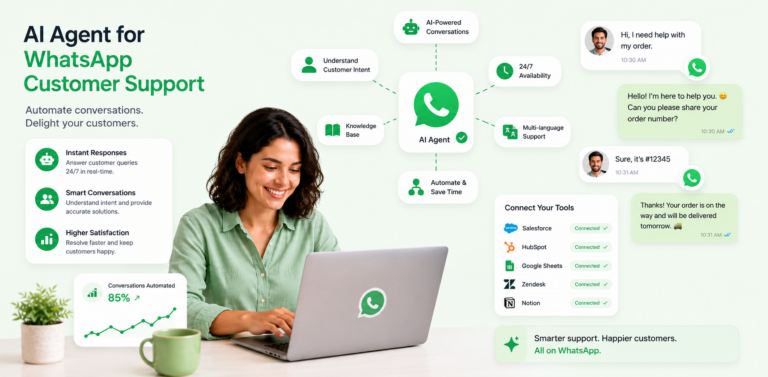
Deploying your Shopify AI agent on WhatsApp as well as website chat extends your automation reach to customers who prefer messaging over web chat. WhatsApp is particularly valuable for Shopify stores with customers in the UK, Europe, Southeast Asia, and the Middle East — markets where WhatsApp dominates personal messaging.
For the WhatsApp integration setup, see how to integrate an AI agent with WhatsApp. For the broader e-commerce automation strategy, see chatloop.io for customer support.
Common Shopify AI Questions
Does the AI handle international shipping queries? Yes, provided your knowledge base includes your international shipping policies and the Shopify integration provides access to international order tracking. Build dedicated knowledge base entries for each shipping zone you serve.
Can the AI process refunds directly? The AI can initiate a refund request in Shopify for eligible returns, provided your Shopify integration permissions include write access to orders. Actual payment refunds still route through Shopify's standard refund processing.
What happens during a flash sale or Black Friday when query volume spikes? Your AI handles query volume with no degradation — it processes concurrent conversations without the per-conversation cost increase that scaling a human support team involves. This peak-volume resilience is one of the highest-value Shopify AI use cases.
How does chatloop.io compare to Shopify Inbox? Shopify Inbox is a basic chat tool designed for manual conversations. It does not provide AI automation, knowledge base management, or WhatsApp deployment. Chatloop.io provides full AI automation with Shopify data integration, suitable for stores that want automated rather than manual query handling.
Can I use chatloop.io if I am on WooCommerce instead of Shopify? Yes. Chatloop.io supports WooCommerce integration through the integrations page. The same AI automation capabilities are available for WooCommerce stores.
Add AI to your Shopify store today. Start your free chatloop.io trial and automate your first order status query before the end of the week.