SMS customer support means resolving customer questions and issues through two-way text conversations instead of phone calls or email tickets. The core payoff is speed: business texts get read within minutes and carry open rates near 98%, far ahead of email. Combine that with near-universal cell phone ownership and SMS becomes one of the fastest, cheapest channels a support team can add.
TL;DR:
- SMS support is most effective for order updates, appointment reminders, quick troubleshooting, and verification, with these workflows offering the best return on investment.
- Starting with high-volume, simple, and predictable tasks like shipping notices or appointment confirmations minimizes risk and provides measurable early results.
- Effective SMS support requires explicit customer consent, consistent sender identification, clear hours, and strict control over frequency and sensitive data security.
- Automated workflows that integrate with existing systems improve efficiency, while fragmented tools tend to increase agent workload and reduce automation benefits.
- Teams should avoid complex, emotionally charged, or sensitive issues via SMS until they gather enough data to manage such cases with the appropriate human nuance.
Table of Contents
- Why SMS Customer Support Actually Works
- Where SMS Support Delivers the Most Value
- Setting the Rules: Consent, Tone, and Security
- Building the Launch Checklist: Numbers, Tools, and Metrics
- What the Evidence Shows About SMS Support in Practice
- Where to Start If You’re Rolling This Out
- A Practical Next Step for Teams Ready to Launch SMS Support
- Sources
- FAQ
Why SMS Customer Support Actually Works
The case for SMS isn’t just that people carry phones everywhere. It’s that texting flips the math on how many customers one agent can help at once.
Phone support is synchronous. One agent, one caller, one conversation, start to finish. SMS is asynchronous: an agent can hold five or six conversations in parallel, answering each as replies come in, the same way a barista handles multiple orders without making every customer wait in a single line. That shift alone changes the economics of a support team, because headcount no longer scales one-to-one with ticket volume.
The numbers back this up. HubSpot’s research on business texting shows text messages get opened and read almost immediately, and response cycles move faster than email threads that can sit in an inbox for hours. Meanwhile, Statista’s data on how U.S. consumers contact businesses shows a real shift toward messaging channels over calls, and more than 60% of web traffic now comes from mobile devices, which means customers are already holding the exact device you’d be texting them on.
By the numbers: Nearly all Americans now own a cell phone, per Pew Research, and business texts see open rates around 98%, according to HubSpot. That combination is why SMS outperforms email for anything time-sensitive.
Cost per interaction tends to run lower with SMS than phone support, mostly because of that concurrency advantage. Fewer agent-minutes per resolved ticket means lower labor cost per conversation, even before you factor in any automation.
SMS has real limits, though. It’s a poor fit for:
- Long, technical explanations that need screenshots or detailed walkthroughs
- Emotionally charged complaints that benefit from a human voice
- Anything involving sensitive financial or medical details
- Multi-step troubleshooting where back-and-forth over text becomes slower than a five-minute call
Know when to escalate to phone, email, or live chat before a text thread turns into twenty fragmented messages.
Where SMS Support Delivers the Most Value
Some support workflows are made for text. Others should never touch it. Here are the use cases that consistently deliver returns, based on patterns Business:
- Order and shipping updates. A text with a tracking link (“Your order shipped, track it here: [link]”) beats an email that sits unread in a promotions folder.
- Appointment confirmations and reminders. Include a simple reply option: “Reply Y to confirm or R to reschedule.” This alone cuts no-shows for clinics, salons, and service businesses.
- Quick troubleshooting. Short diagnostic questions (“Is the device powered on? Reply Y/N”) work well over text; anything needing more than three exchanges should escalate.
- Verification and one-time passcodes. Text a short code for identity checks, but never send full account numbers, passwords, or complete card details over SMS.
- Post-interaction surveys. A one-question CSAT text (“On a scale of 1 to 5, how did we do?”) gets replies that email surveys rarely match.
- Review requests. Sent shortly after a resolved ticket, a text asking for a review converts better than a follow-up email buried in someone’s inbox.
- Payment and billing reminders. Notify customers a bill is due or a card is expiring, then hand off to a secure payment link rather than collecting card numbers in the thread.
- Appointment or service follow-ups. A quick “How’s everything working since the repair?” text catches issues before they become complaints.
Pro Tip: Pick your first pilot based on three filters: high message volume, easy-to-measure outcomes, and low risk if something goes wrong. Appointment reminders and shipping updates hit all three. Save anything involving payments or sensitive data for phase two, once your team has SMS habits in place.
Choosing the right starting point matters more than most teams expect. A pilot that’s too complex (say, warranty disputes) will generate messy data and frustrated agents in week one. A pilot that’s too simple (a single automated confirmation) won’t teach you anything about how customers actually behave in a live thread. Order and appointment workflows sit in the sweet spot: enough volume to generate real data within a few weeks, simple enough that a bot or a junior agent can handle most of it without escalation.
Setting the Rules: Consent, Tone, and Security
SMS support runs on trust, and trust starts with consent. Getting texting wrong on the compliance side does more damage to a support channel than any single bad customer interaction.
Collect opt-in explicitly, not through a buried checkbox. The clearest moments to ask are at checkout (“Text me order updates”) or inside account settings, with language that states exactly what you’ll send and how often. Vague consent language creates disputes later and puts your sender reputation at risk with carriers.
A few operational rules keep the channel clean:
- Text from a consistent, identifiable business number, and identify your business by name in the first message of any new thread.
- Set clear business hours and use an auto-acknowledgement outside them, so customers aren’t left wondering if anyone saw their message.
- Never ask customers to text full card numbers, passwords, or Social Security numbers. Route anything sensitive to a secure web form or a phone call.
- Cap outbound frequency. Customers who feel spammed will opt out, and a rising opt-out rate can flag your number with carriers as junk traffic.
- Make opting out frictionless. A simple “Reply STOP to unsubscribe” line, honored immediately, protects your sender reputation more than any clever copy ever will.
Business texts see roughly 98% open rates, per HubSpot, which is exactly why sloppy consent or frequency practices carry outsized risk: nearly everyone sees what you send, for better or worse.
On the security side, treat SMS threads the way you’d treat any other support channel that touches customer data. Numbers, message content, and any linked account details should sit behind the same access controls and encryption standards you apply to your help desk. If your platform stores conversation history, make sure it’s encrypted at rest and that agent access is logged, the same baseline you’d expect from an email support inbox or CRM.
Building the Launch Checklist: Numbers, Tools, and Metrics
Getting SMS support live involves a handful of decisions that are easy to get wrong on the first try. Here’s the order that actually works.
- Pick your number type. A standard long code (a regular 10-digit number) supports genuine two-way conversation and personalized replies, which is what support needs. Short codes are built for mass marketing blasts, not dialogue, and TCN’s guide to texting customers makes this distinction directly. Toll-free numbers can work for two-way texting too, but confirm verification requirements with your carrier before launch.
- Connect your core systems. Your SMS platform needs to talk to your CRM or help desk, your order or booking system, and your ticketing queue. Without that link, agents end up toggling between four screens to answer one text.
- Define automation roles clearly. Auto-acknowledgement handles the first reply. Intent detection routes the message to the right queue. Canned replies cover the top ten repeat questions. Everything else escalates to a human, with clear rules for when that handover happens. AI agents and human agents work best when each one’s job is explicit rather than left to chance.
- Set routing and ownership rules. Decide upfront who owns a thread once it’s escalated, so customers aren’t repeating themselves to three different agents. Fragmented conversations are the single biggest complaint about SMS support done poorly.
- Wire up your metrics before launch, not after. You can’t fix what you’re not measuring from day one.
Here’s what to track and what reasonable early targets look like:
| Metric | What it measures | Reasonable starting target |
|---|---|---|
| Average response time | Time from customer message to first agent or bot reply | Under 5 minutes during business hours |
| Resolution rate via SMS | Percentage of threads closed without escalation | 60% for simple workflows like order status |
| CSAT | Post-interaction satisfaction score | Match or beat your existing channel average |
| Cost per interaction | Total support cost divided by resolved conversations | Lower than phone, tracked over the first 90 days |
Auto-acknowledgement deserves its own line item. HubSpot’s guidance on conversational support points to a simple pattern: acknowledge immediately, then set a realistic expectation (“We’ll update you within the hour”) rather than leaving the customer guessing. That single habit does more for perceived service quality than almost any other tweak. For teams juggling SMS alongside email, chat, and social, integrating channels into one queue keeps agents from missing messages that arrive outside their usual inbox. And if your ticket volume is already straining your team, a helpdesk automation approach built for complex queues is worth studying before you scale SMS past the pilot stage.
What the Evidence Shows About SMS Support in Practice
Support teams that add SMS tend to report the same handful of outcomes: faster first response, more conversations handled per agent hour, and fewer customers falling silent mid-issue because they gave up waiting on hold.
An AI-powered platform can automate customer support across channels, including SMS, potentially providing 24/7 availability and real-time translation so a single support setup can serve customers in different languages without hiring separate teams for each one. Such platforms may be designed to plug into existing CRMs and help desks rather than replace them, which matters for teams that don’t want to rebuild their whole stack just to add texting.
Teams running automated, multichannel support tend to describe the same shift: faster replies, higher throughput per agent, and customers who no longer need to repeat themselves across channels once a conversation moves from chat to text to email.
The practical lesson underneath all of it: architecture choices made early, like whether your SMS platform integrates with your CRM or sits in an isolated silo, determine whether automation actually reduces agent workload or just adds a second system for agents to babysit. Teams that connect automation directly into their existing customer records see the compounding benefit; teams that bolt on a standalone texting tool usually don’t.
- Faster first response times reported after adding automated SMS acknowledgement
- Higher conversation throughput per agent when routing and canned replies are set up correctly
- Multilingual support handled without adding headcount, through real-time translation
Where to Start If You’re Rolling This Out
Start with volume, not ambition. The workflows worth automating first are the ones that repeat hundreds of times a month with a predictable structure: order status, appointment reminders, simple account questions. Complex, emotionally loaded, or highly sensitive cases should stay off SMS until your team has months of pattern data to lean on.
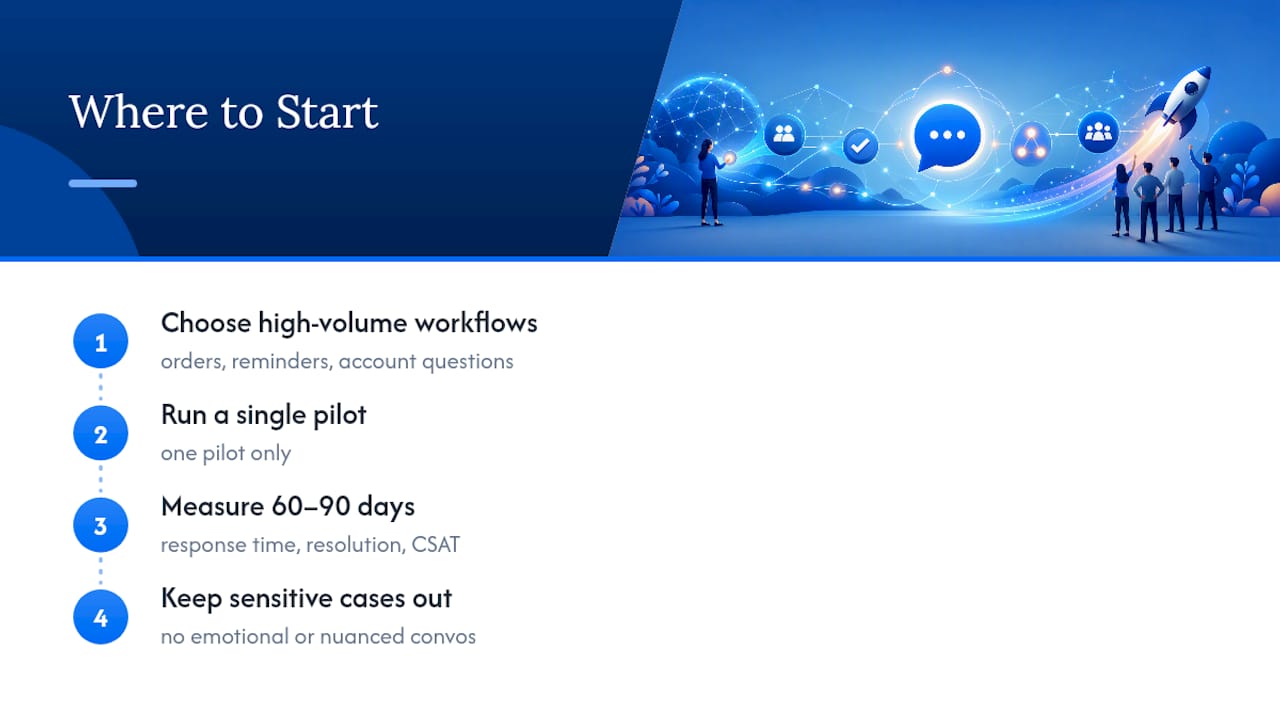
Pick one pilot. Measure response time, resolution rate, and CSAT for 60 to 90 days before adding a second use case. Teams that try to launch five workflows at once usually can’t tell which one is working, and they can’t tell which one is quietly damaging their sender reputation either.
The biggest rollout mistake isn’t a technical one. It’s forcing SMS onto conversations that need nuance, patience, or a human voice, just because the channel is fast. Fast isn’t always right.
— Gaurav
A Practical Next Step for Teams Ready to Launch SMS Support
Everything in this guide points to the same conclusion: SMS support works best when it’s connected, not bolted on as a side project. Chatloop gives support teams AI-assisted texting that runs 24/7, handles routine questions automatically, and hands off to a human the moment a conversation needs one.
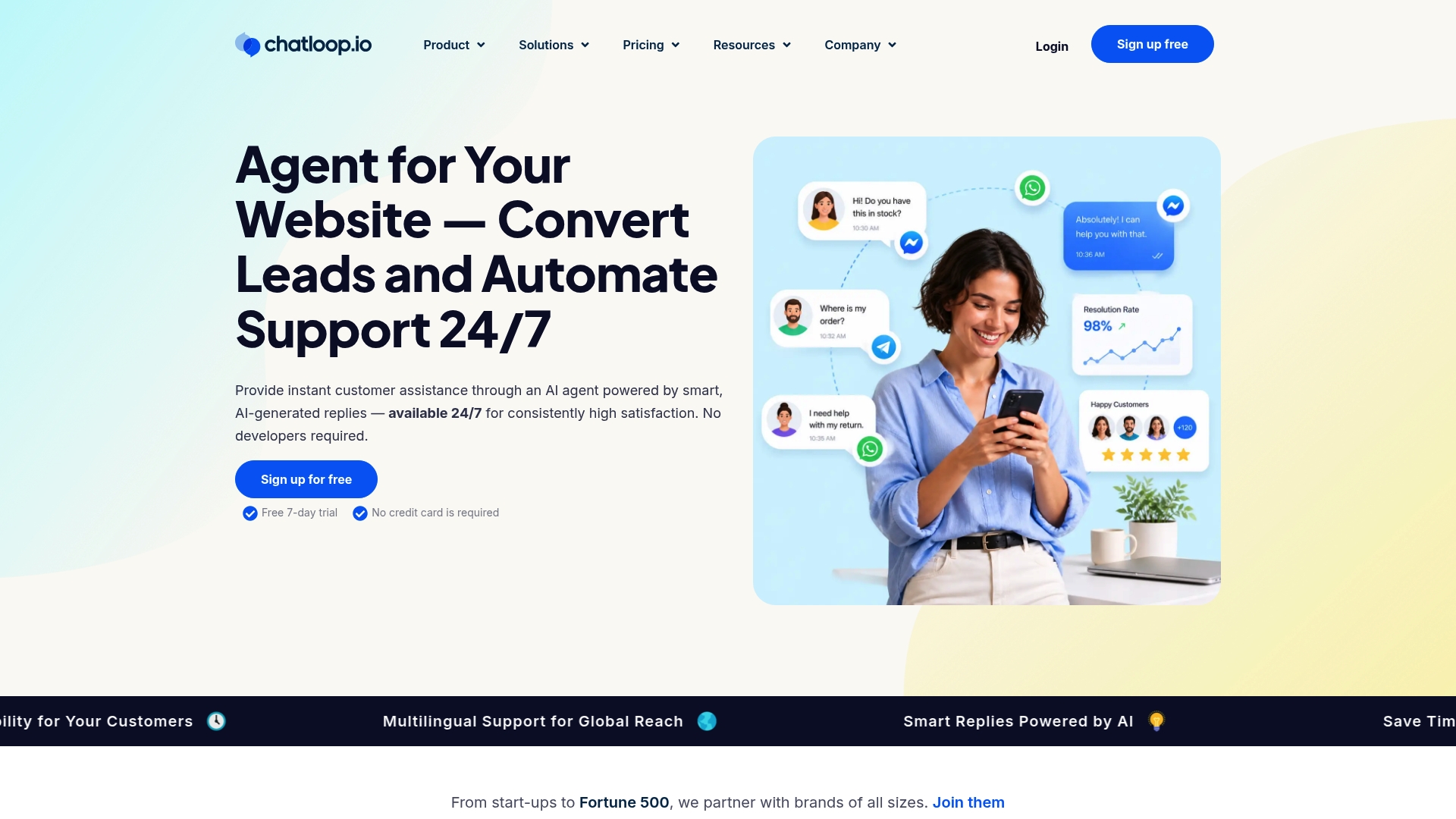
Teams pick an AI-first setup like this over a patchwork of separate tools for one reason: consistency. The same automation that answers a shipping question at 2 AM follows the same tone and the same rules an agent would use at 2 PM, and it does it in whatever language the customer is texting in, thanks to built-in real-time translation. When a question gets too complex for a bot, handover to a human agent happens without the customer having to repeat themselves.
If you’re ready to see how this looks with your own order updates, appointment flows, or support tickets, start a trial or book a demo on the Chatloop customer support platform and connect it to the systems you already run.
Sources
- How to Use Text Message Marketing for Customer Service
- Business texting and customer service guide
- Methods used to communicate with businesses in the U.S. — Statista
- Mobile fact sheet — Pew Research Center
FAQ
What is SMS customer service?
SMS customer service is support delivered through two-way text messages rather than phone calls or email. It covers things like order updates, appointment reminders, quick troubleshooting, and billing notifications, all handled in a short-message format customers can reply to in seconds.
Is texting from an SMSC number safe?
An SMSC (Short Message Service Center) is the carrier infrastructure that routes texts. It’s a standard, secure part of how all SMS traffic moves, so texting through a legitimate business number set up for two-way support carries no more risk than any other verified sender.
How do I fix an SMS that won’t send?
Most delivery failures trace back to an unverified sender number, a customer’s carrier blocking unfamiliar traffic, or a message exceeding character limits. Check that your number is registered and verified with your SMS provider, and confirm the customer hasn’t opted out or blocked your number.
How can I chat with customer support over text instead of calling?
Look for a business’s published support number or a “text us” option, often shown on their website, receipt, or confirmation email. Once you text that number, the reply usually confirms whether it’s monitored by a live agent, an AI system like Chatloop, or a mix of both, depending on the time and question type.